
API workflows
Voxtral 3: Transcription API, Migration and Caption Review
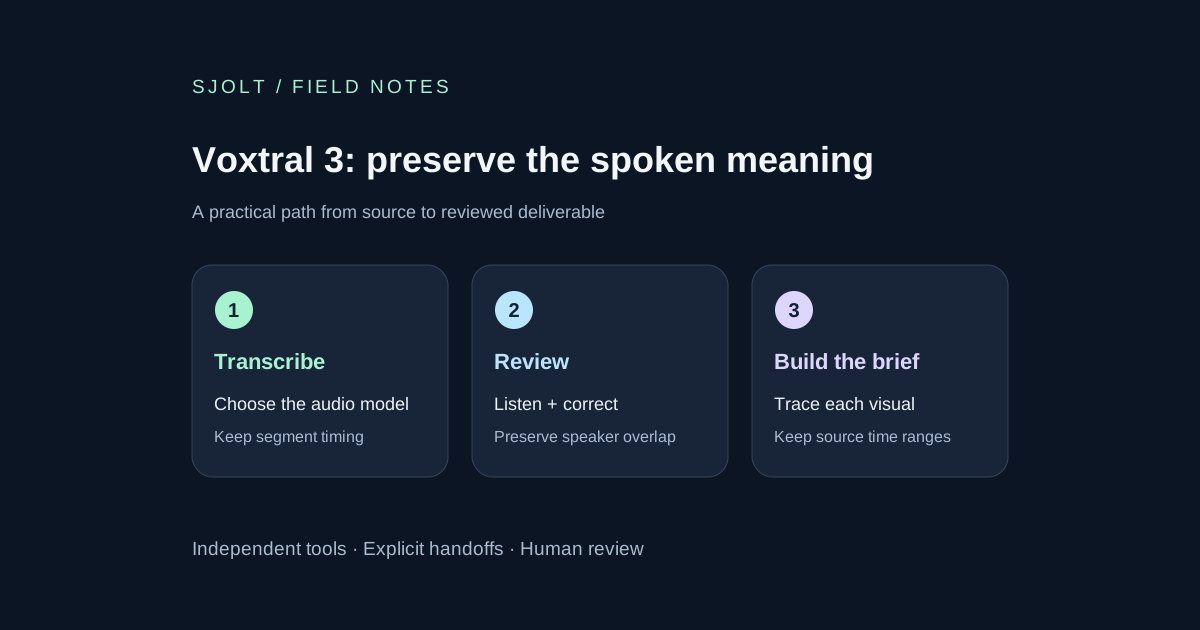
Voxtral 3 covers several audio jobs. Start with recorded-file transcription, pin the model, preserve overlapping speech and review the transcript before creating a video brief.
Voxtral 3 is Mistral’s audio-model family, with recorded-file transcription, realtime transcription and speech generation. The October 20 model cards mark the four listed launch models as Public Preview. Choose the job before choosing the identifier: a speech-generation model is not a transcription model, and a voice agent adds another reasoning and tool layer.
For a media team, the most useful starting point is often a recorded interview: obtain a transcript with segment timing, review it against the audio, then turn approved passages into a visual brief. Voxtral 3 is not in SJolt’s current catalog. The audio call in this guide uses Mistral directly.
Pick a model for the audio you actually have
| Job | Pinned model ID | Listed API price |
|---|---|---|
| Recorded audio, Mini | voxtral-mini-transcribe-3-0 | $0.0035/min |
| Recorded audio, Small | voxtral-small-transcribe-3-0 | $0.004/min |
| Live audio | voxtral-mini-transcribe-realtime-3-0 | $0.008/min |
| Text to speech | voxtral-mini-tts-3-0 | $13/million characters |
These are the provider’s October 25 listed rates, not SJolt prices. For a hypothetical 60-minute recording, the two offline choices imply $0.21 and $0.24 for one pass. Reprocessing the recording adds usage. A live agent’s total can include a separately priced service or reasoning layer, so do not use a transcription-only estimate as the total call budget.
Start by testing the less expensive offline option on a short representative sample. Use the same audio for both candidates and score the errors that matter to your edit: names, numbers, negation and speaker attribution. Provider rankings are useful research leads, but they do not measure your microphone, accent mix or specialist vocabulary.
Request a transcript with segment timing
Configure your own MISTRAL_API_KEY and provide a local recording you are authorized to process. This documented multipart request uses one audio input, a pinned model and segment timestamps. Diarization adds speaker labels. No audio or paid model call was submitted while preparing this guide.
curl --fail-with-body https://api.mistral.ai/v1/audio/transcriptions \
  -H "Authorization: Bearer $MISTRAL_API_KEY" \
  -F model=voxtral-mini-transcribe-3-0 \
  -F file=@interview.wav \
  -F timestamp_granularities=segment \
  -F diarize=true
The file-transcription guide permits file, file_url or file_id, exactly one per request. Without a timestamp request, segments stays empty. Speaker labels require diarization and segment timing. The full transcript is in text; each returned segment has start and end times in seconds. Preserve the original response before making editorial corrections.
A version change can break an existing caption pipeline
The migration guide says Voxtral 3 accepts segment timestamps and rejects word timestamps with a 400 error. Do not manufacture word timings by dividing a segment evenly and then present them as measured alignment. Keep segment captions, align words in a separate verified stage, or adjust timings against the recording.
The same guide notes overlapping segments and realtime settings that lock after the first audio chunk. Preserve overlapping speakers instead of discarding a segment because its start precedes another speaker’s end. Configure a realtime session before sending audio. Returning an offline result incrementally with stream=true is not the same as transcribing a live microphone.
Validate timing without deleting legitimate overlap
This original Python fixture checks a normalized segment list with a known positive recording duration. It flags invalid ranges, reversed start order and empty captions, while allowing two speakers to overlap. It is a local data check, not a transcription-quality score or a complete parser for every API response.
import math

def review_segments(segments, duration):
    issues = []
    previous_start = -1.0
    for i, segment in enumerate(segments):
        start, end = segment.get("start"), segment.get("end")
        valid_time = all(
            type(x) in (int, float) and math.isfinite(x)
            for x in (start, end)
        )
        if not valid_time or not 0 <= start < end <= duration:
            issues.append((i, "invalid time range"))
            continue
        if start < previous_start:
            issues.append((i, "out-of-order start"))
        previous_start = start
        text = segment.get("text")
        if not isinstance(text, str) or not text.strip():
            issues.append((i, "empty text"))
    return issues

# Synthetic overlap: two people can speak at once.
sample = [
    {"start": 0.0, "end": 2.4, "text": "Check the blue switch."},
    {"start": 1.9, "end": 3.1, "text": "This one?"},
]
assert review_segments(sample, duration=5.0) == []
Before calling it in an application, validate the response envelope and confirm that segments is a list of objects. Keep speaker IDs and source offsets in your stored record even though this small function does not use them. A flagged range should return to review rather than silently clamping the end time or trimming the spoken words.
For a split recording, add the chunk’s source offset to its segment times before assembling the edit. At chunk boundaries, inspect repeated speech and partial sentences. Reordering segments by start can help display, but it does not decide which voice should be foregrounded. Retain the underlying transcript so an editor can revisit that decision.
Handle inconsistent preview documentation explicitly
The current model cards label Mini and Small transcription as 32k context, while the shared audio limits page states 65,536 tokens for audio plus context bias. The TTS card says nine languages; the launch article describes more than 35. These pages do not establish one consistent limit for every surface. Confirm the specific endpoint and language you need before making a customer promise.
For the first integration, keep the sample short, pin the model ID and record request fields and response errors. Treat a larger advertised context or language count as a question to resolve, not permission to skip input checks. Public Preview status also makes a small repeatable regression sample valuable when a documented alias changes.
Turn reviewed speech into an image brief
First correct the transcript with a human reviewer who can hear the original. Mark statements that need a source check, then select passages whose meaning survives a shorter edit. Build a shot list from those approved passages: source range, intended visual, factual constraint and asset filename. Keep the words actually spoken separate from a proposed voiceover rewrite.
For an illustrative cutaway or title background, SJolt’s Nano Banana 2.1 accepts a text prompt; its image-edit variant also accepts raster references. Supply the reviewed visual brief as text. An audio file or Voxtral response is not a valid image-reference upload, and this handoff does not add transcription or speech synthesis to SJolt.
A useful review gate is simple: can the editor trace every factual title to the recording or an approved source, and can the audience distinguish an illustration from footage of the event? Store the transcript revision, chosen segment ranges and generated-image task IDs together. Finish timing and captions in the editing workflow, then inspect the exported video with sound and muted.
Sources & further reading
Take the next idea into production.
Explore the models, test a workflow in the playground, and use the same request in your application.