
Creative workflows
Kixy AI: Video Clipping, Credits and a Practical Review Workflow
Kixy turns existing long videos into short captioned clips. Budget by source minutes, verify each edit against the recording, and measure useful exports instead of advertised clip counts.
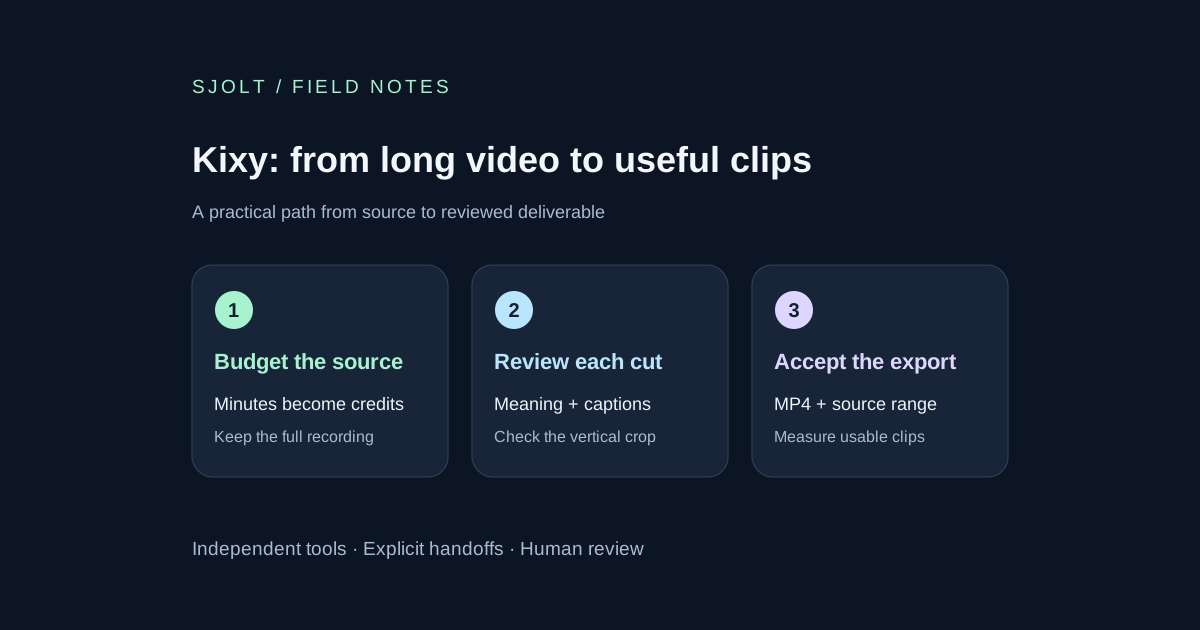
Kixy AI is a video clipping service at kixy.ai. Its website accepts YouTube, Twitch and Kick links or file uploads, then proposes vertical clips with captions. It works from existing footage; it is not a new video-generation model or a source of guaranteed creator income.
A useful first job starts with a recording you own and a narrow editorial goal. The workflow below uses a hypothetical product interview to show how to budget source minutes, review clip boundaries and prepare a finished package. It is an evaluation plan, not a report of a paid Kixy test.
Check the product and the real purchase unit
Creating an account is free, while making clips uses a paid plan. The homepage says a long video typically produces around ten candidates, with fewer when the material is short or has fewer strong moments. Treat that count as a planning hint; it is not ten guaranteed publishable edits. The service describes downloadable clips for TikTok, Instagram Reels and YouTube Shorts.
Start with one complete recording, not a compilation whose original context has already been lost. Give the job a name that includes the source revision. Before processing, note the intended audience, the single useful question the interview answers and the details that must survive every edit. That brief becomes your review standard.
Budget source minutes before counting outputs
| Plan | Monthly billing | Annual billing equivalent | Credits each month |
|---|---|---|---|
| Starter | $19.99 | $9.99/month; $119.88/year | 150 |
| Pro | $29.99 | $14.99/month; $179.88/year | 300 |
| Agency | $59.99 | $29.99/month; $359.88/year | 800 |
These are the displayed October 25 plan prices. One credit covers one minute of source video. Annual pricing requires the annual payment; the smaller monthly equivalent is not the monthly-billed price. The plan page advertises watermark-free output and animated captions in more than 50 languages, which still need review for your specific recording.
The support page says credits arrive monthly even on an annual plan. Unused plan credits roll over for one month, while purchased credit packs do not expire. Its packs cost $0.15 per credit. Confirm the balance and displayed job estimate before an expensive input or retry; the public pages do not establish every retry or rounding rule.
For a hypothetical 45-minute interview, one pass uses 45 credits under that source-minute rule. A 150-credit allowance covers three such passes, leaving 15 credits. At full allowance use, the monthly Starter price allocates about $6.00 to a pass. If only four clips pass review, that is about $1.50 of allocated subscription cost per accepted clip, before editing time. If this is your only job that month, all $19.99 belongs to that job instead. Neither figure is an earnings forecast.
Give one interview a clear editorial target
Imagine a 45-minute interview about repairing a bicycle light. Your goal is a set of short explanations that help a viewer recognize a loose mount, choose a replacement strap and check the beam after repair. Keep the opening question with its answer when removing it would change the meaning. Avoid turning a conditional recommendation into a universal promise.
Source: owned product interview, revision interview-07
Audience: first-time bicycle-light owners
Goal: one complete repair lesson per clip
Preserve: product name, model number, conditional advice
Reject: missing demonstration, misleading crop, cut-off answer
Deliver: reviewed MP4 plus source time range and caption corrections
This is an original review brief, not a Kixy request schema. Record it beside the job so another editor can understand why a candidate was kept. Review the first and last sentence before polishing fonts or pacing: a stylish caption cannot repair a missing qualification.
Score candidates against the recording
| Check | Accept when | Reject when |
|---|---|---|
| Meaning | The claim and its conditions survive | The cut reverses or exaggerates the answer |
| Caption accuracy | Names, numbers and negatives match audio | A small word changes the instruction |
| Framing | Hands and the demonstrated part stay visible | Vertical crop hides the actual repair |
| Opening and ending | A viewer gets a complete thought | The hook promises an answer the clip omits |
Use these four checks as independent gates. A candidate that fails meaning should not be rescued by a high hook score. Keep a source time range, correction note and reviewer decision for each export. When two clips teach the same point, keep the clearer one unless they serve genuinely different audiences.
Check a downloaded MP4 on the target phone: play once with sound and once muted, inspect caption line breaks and watch the demonstration at normal speed. Leave room for the destination app’s controls and accompanying post text. Measure accepted clips divided by reviewed candidates and track editing minutes per accepted clip. Those numbers help decide whether a second job is worthwhile without pretending a first sample predicts audience reach.
Use the connector as another way to operate the same job
Kixy publishes https://kixy.ai/api/mcp and documents account sign-in, job status, caption restyling, trimming and MP4 export through its connector. The same plan and credits apply. Follow its connection page for supported clients and current setup; this guide did not connect an account or submit a job.
An efficient review loop is to list the existing job, choose a candidate, request a specific correction and export that candidate. After an interrupted response, check job status before submitting the whole source again. Keep the exported revision aligned with the correction note so a later download does not accidentally restore an earlier caption error.
Where an SJolt image asset can help
SJolt does not list a Kixy model or clipping endpoint. If a reviewed clip needs a separate title background or companion social image, Nano Banana 2.1 can create that image from a prompt or edit a supplied raster reference. Add the finished image in your editing tool; do not assume a Kixy connector or automatic timeline transfer exists inside SJolt.
For the bicycle example, a neutral background can support a title card, while the actual repair demonstration should remain traceable to the source footage. Keep generated illustration separate from evidence of how the product works. Follow Kixy’s stated requirement to use footage you own or have permission to use, and evaluate any campaign’s terms separately from the editing tool.
Sources & further reading
Take the next idea into production.
Explore the models, test a workflow in the playground, and use the same request in your application.