
Video workflows
Vidu Q4 Preview: Image-to-Video, References, and API Checks
Vidu Q4 has official product and Preview API documentation. Choose first-frame animation or reference-guided generation by the role of your inputs, then verify the contract for the interface you use.
Vidu Q4 is documented on Vidu’s official product site, and its API documentation names the model viduq4-preview. The confirmed modes are image-to-video and reference-to-video. This is more specific evidence than a rising search term, but it does not mean every platform offers the model.
SJolt’s current catalog does not include Vidu Q4. If you need that exact model, start with Vidu’s own product or API documentation. SJolt can separately help prepare an image asset for a later video workflow; that file handoff is not a Vidu integration.
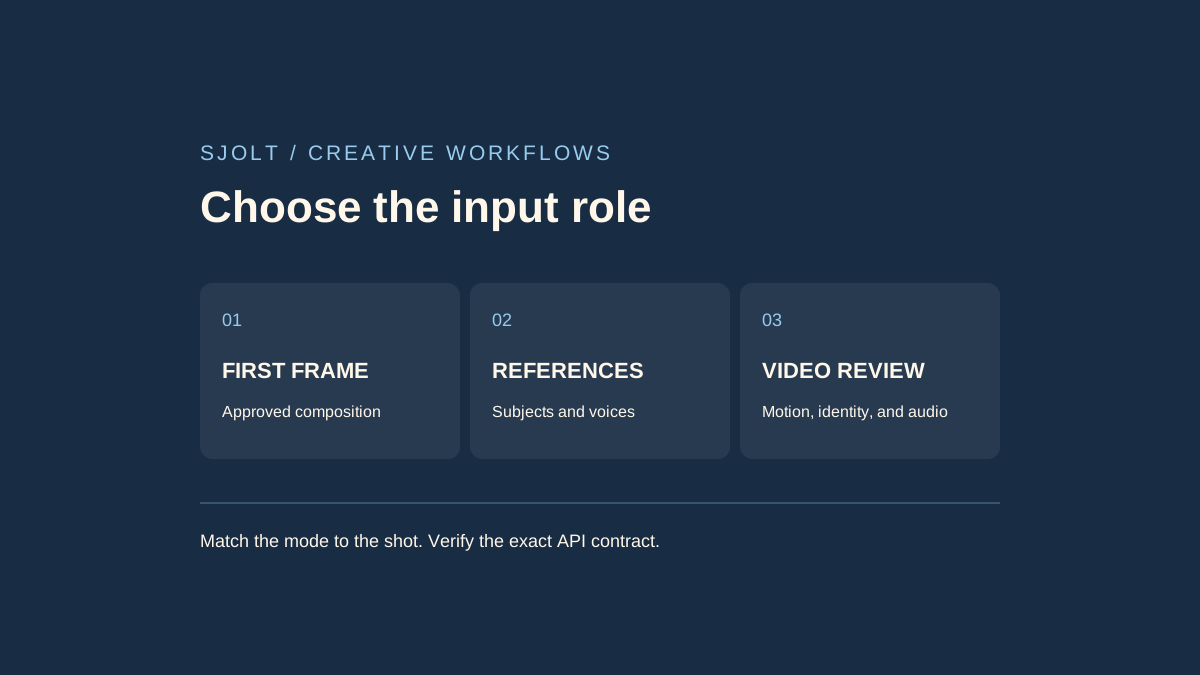
Choose the input role before choosing settings
| Mode | What the input controls | Useful starting task |
|---|---|---|
| Image-to-video | One image supplies the first frame. | Animate an already approved composition. |
| Reference-to-video | Images and optional sounds guide subjects and voices. | Build a scene from separately prepared references. |
Vidu’s product page describes up to 15 reference images, three voice references, and output up to 4K. Treat its motion and consistency descriptions as provider positioning. A maximum resolution or input count does not establish how well a particular product, face, or line of dialogue will survive a difficult shot.
For a packshot, decide whether the exact opening arrangement matters. If it does, create and approve that frame first. If the subject should appear in a newly composed scene, label the individual subject, environment, and style references instead. More references help only when their roles are clear and their visual instructions agree.
Read the API page for the mode you will call
The image-to-video documentation uses POST https://api.vidu.com/ent/v2/img2video with model viduq4-preview. It accepts one starting image and documents 3–16 seconds, audio enabled by default, and 540p, 720p, 1080p, 2K, or 4K. Set is_rec to false when you want the supplied prompt rather than a recommended prompt.
The reference endpoint is /ent/v2/reference2video. Its page documents 1–15 images, up to three MP3 sound references of 3–12 seconds each, and no subject-invocation method for this Preview model. The general Vidu subject library should therefore not be assumed to work with Q4 Preview.
Keep your integration record small and explicit: provider, endpoint, model ID, mode, duration, output size, audio choice, and input roles. A web-app setting and an API field can use similar names while accepting different values. Save the documentation revision or review date alongside the first implementation.
Resolve documentation differences before a batch
Two discrepancies matter as of October 13, 2026. The product FAQ gives reference-to-video a 1–16-second range, while its API page lists 3–16. The reference API page also shows Token authentication for creation but Bearer in its query example; the image-to-video page uses Token for both. Do not silently combine these into a supposedly verified request.
For an implementation, follow the current instructions for the specific account and endpoint, and resolve conflicting authentication guidance with Vidu before automating retries. Keep task creation separate from status polling in logs. An authentication failure during polling should not automatically trigger a second paid creation request.
A useful first test is one short, simple shot with a clear completion criterion. Check that the accepted task can be retrieved and that its file can be saved. Only then add concurrency, callbacks, voice references, or a longer sequence. This guide reviews documentation; it does not establish account access or a successful live API call.
Use a shot brief that exposes failures
Single shot: a ceramic cup rests on a wooden table beside a window.
The camera slowly moves closer while steam rises. Preserve the cup
handle, rim, and glaze. Keep the window light steady. No cuts.
Audio goal: quiet room ambience, no dialogue or music.
This example isolates geometry, camera movement, lighting, and audio. Replace it with your own scene, but keep the number of changing elements small for the first trial. If the camera and subject both move quickly while the setting transforms, it becomes harder to identify which constraint failed.
- Watch the first and last frames for framing and object identity.
- Scrub through occlusion, turns, and shot transitions for shape changes.
- Listen for the intended ambience or dialogue, unexpected music, and audio cutoffs.
- Check the downloaded dimensions and duration, then place the file in the intended timeline.
Score each requirement separately. A beautiful clip can still fail a product review if the label changes, while a modest-looking clip may be suitable as a rough timing reference. Keep a rejection reason with each attempt so that a comparison measures usable output rather than a highlight reel.
Prepare an approved still in SJolt, then hand off the file
Nano Banana 2.1 on SJolt supports text-to-image and reference-guided image editing, with 1K, 2K, and 4K image output. For editing, its public contract accepts 1–14 image references. Those are SJolt image limits; they do not replace Vidu’s separate video-input limits.
Generate or edit a clean composition, wait for the SJolt task to succeed, and download the chosen image. Review product details before giving that image to Vidu through an interface you have selected. For first-frame animation, prepare the actual desired crop; for reference generation, preserve a clean subject view without unnecessary collage elements.
Record the still-image task ID and the video task ID separately. They belong to different services, use different credentials, and can have different output-retention policies. Vidu’s image API documentation says its returned creation URLs last 24 hours, so save a successful result promptly rather than treating a temporary URL as a permanent asset.
Budget around accepted shots. Include image preparation, video attempts, and finishing work when deciding whether to scale. This source review includes no generated samples, speed measurements, or quality ranking against other models; your representative shot is the evidence that matters for your project.
Sources & further reading
Take the next idea into production.
Explore the models, test a workflow in the playground, and use the same request in your application.