
Image workflows
Nano Banana 2.1 on SJolt: Image Generation, Editing, and API Guide
Nano Banana 2.1 is available on SJolt for text-to-image generation and reference-guided editing. Learn the request format, resolution costs, and a practical workflow for producing and reviewing images.
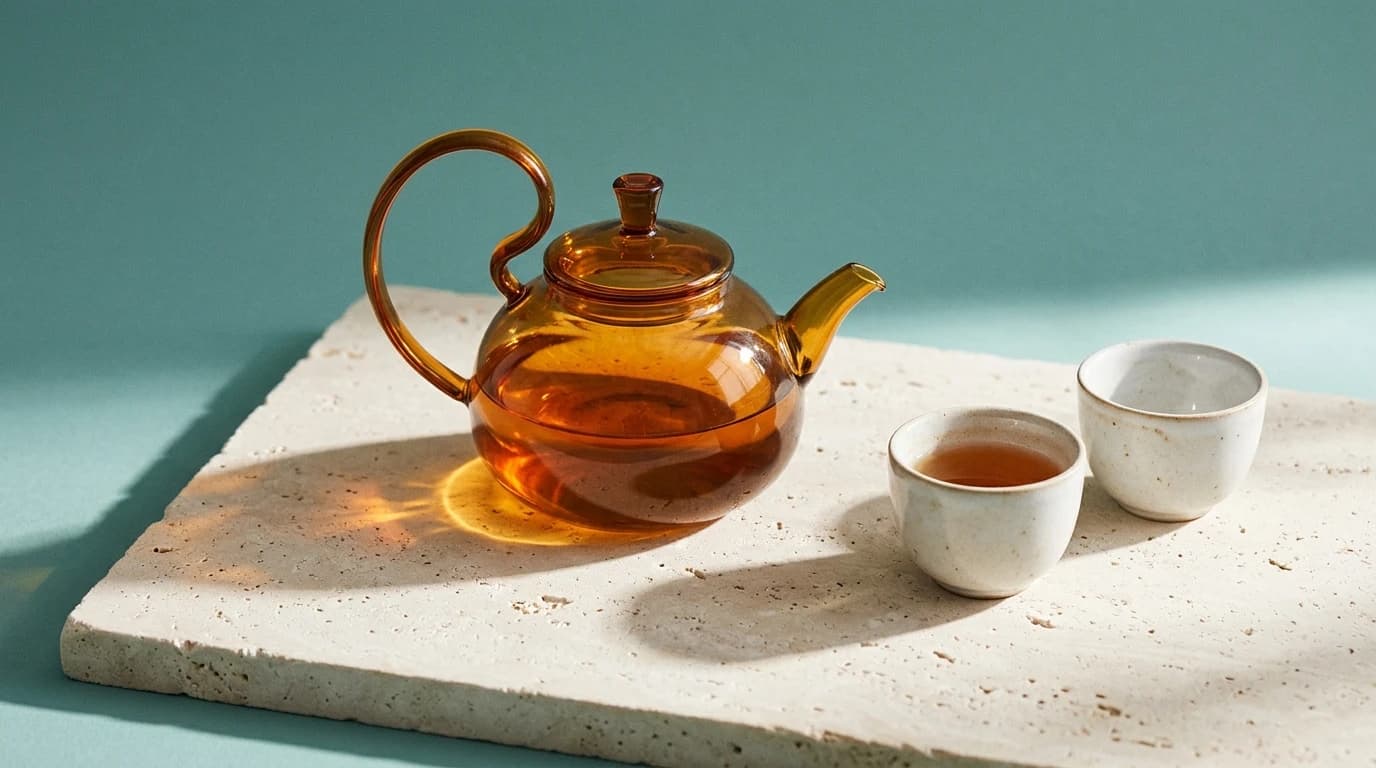
Nano Banana 2.1 is available on SJolt for generating an image from text and editing images with references. Both modes offer 1K, 2K, and 4K output; image editing accepts up to 14 reference images. Public pricing starts at $0.015 per image at 1K, as checked on October 7, 2026.
For a product campaign, start with a composition at 1K, review the object and lighting, then use image edit to refine the approved concept. This guide covers the exact SJolt requests, how to control a reference-based edit, and what to inspect before you use the result.
What changed in Nano Banana 2.1?
Google released Nano Banana 2.1 to general availability on October 6, 2026. Its direct Gemini API model ID is gemini-nano-banana-2.1. Google describes improvements over Nano Banana 2 in visual quality, following prompts, character consistency across edits, and rendering text. Those are provider claims; this guide does not present an independent quality or speed benchmark.
The practical test is whether the model produces more usable images for your brief. For product work, inspect the silhouette, material, and small label details. For a poster, check every word and the visual hierarchy. For repeated edits, compare the final image with the original reference as well as the previous revision. A more attractive image can still fail one of these requirements.
Choose the right SJolt mode and parameters
| Setting | Text to image | Image edit |
|---|---|---|
| API route suffix | google/nano-banana-2.1/text-to-image | google/nano-banana-2.1/image-edit |
| prompt | Required, nonblank description | Required, nonblank editing instruction |
| image_urls | Omit this field | Required: 1–14 public HTTP(S) image URLs |
| Reference formats | No reference input | PNG, JPEG, or WebP |
| resolution | 1K, 2K, or 4K; default 1K | 1K, 2K, or 4K; default 1K |
| aspect_ratio | Default 1:1 | Default 1:1; choose explicitly for reframing |
| Result | One image per task | One image per task |
Both modes accept these ten aspect ratios: 1:1, 2:3, 3:2, 3:4, 4:3, 4:5, 5:4, 9:16, 16:9, and 21:9. Select the shape your placement needs before generating. The resolution is a size tier; the exact pixel dimensions depend on the selected ratio.
Google's model documentation also covers search grounding, thinking controls, and panoramic ratios such as 4:1. These are not exposed by SJolt's current Nano Banana 2.1 endpoints. Use only the parameters and ratios listed here: extra input fields are rejected. The Gemini model ID belongs to Google's API; SJolt selects the model and mode through the route.
Plan resolution and cost before iterating
The following are SJolt's standard public prices for Nano Banana 2.1, checked on October 7, 2026. They apply to both generation modes. Check the current model page and the price shown for your account before a larger run.
| Resolution | Price per image | 100 images at the listed rate | Suggested use |
|---|---|---|---|
| 1K | $0.015 | $1.50 | Explore framing, lighting, and concept direction |
| 2K | $0.025 | $2.50 | Review finer details at a larger delivery size |
| 4K | $0.040 | $4.00 | Prepare a larger asset when the placement needs it |
A planning example: eight 1K concepts plus two 4K revisions total $0.20 at these rates. Additional generations add to that budget. Review each higher-resolution revision again; a new generation can change details, so increasing resolution is not a guarantee that the approved composition will remain identical.
Create a product concept with the text-to-image API
Set SJOLT_API_KEY in your server environment, then submit a task. Keep the key on the server. A useful prompt specifies the subject, material, supporting objects, light, and composition. This example asks for a wide product scene with clear space for copy that you can add later.
curl --fail-with-body https://sjolt.ai/sjolt-ai/v1/google/nano-banana-2.1/text-to-image \
  -H "Authorization: Bearer $SJOLT_API_KEY" \
  -H "Content-Type: application/json" \
  -d '{
    "input": {
      "prompt": "An amber glass teapot with a curved handle and two porcelain cups on pale limestone. Soft teal studio background, angled morning sunlight, realistic glass reflections. Place the teapot on the right; leave the left third clear for a headline. No text, logos, or watermarks.",
      "aspect_ratio": "16:9",
      "resolution": "1K"
    }
  }'
Review whether the handle joins the body plausibly, the cups have consistent shapes, and the empty area is actually usable. If the scene misses the brief, revise one instruction at a time. A text-only request is useful for a concept; for a specific existing product, use your product photograph as an editing reference.
Edit with references and explicit preservation instructions
Use image edit when an existing image should guide the output. The example below uses SJolt's public teapot gallery image so the reference is concrete. Replace it with your own reachable PNG, JPEG, or WebP URL for your project. A local file path or an image behind a login will not work as a public reference URL.
curl --fail-with-body https://sjolt.ai/sjolt-ai/v1/google/nano-banana-2.1/image-edit \
  -H "Authorization: Bearer $SJOLT_API_KEY" \
  -H "Content-Type: application/json" \
  -d '{
    "input": {
      "prompt": "Keep the amber glass teapot silhouette, curved handle, spout, and two porcelain cups from the reference. Replace only the background with a warm cream studio backdrop. Preserve the limestone surface and product arrangement. Use soft morning light and realistic contact shadows. No text or logos.",
      "image_urls": [
        "https://cdn.sjolt.ai/model-assets/nano-banana-2.1/example-product-20261007.webp"
      ],
      "aspect_ratio": "16:9",
      "resolution": "2K"
    }
  }'
Start with the fewest references that explain the job. When adding more, assign a role to each in the prompt: image 1 defines the product, image 2 supplies the room, and image 3 guides the color palette. The limit of 14 is capacity, not a recommendation to fill every slot. Conflicting object shapes or lighting can make the intended result less clear.
For another revision, submit a new task with the image you want to edit in image_urls and a complete instruction. These endpoints do not expose a conversation-history field. Save the original and every approved revision so you can return to a clean reference if a later edit changes the product.
Track the task and retrieve the finished image
The create response returns data.task_id. Store it, replace TASK_ID below, and query the same task until it reaches a terminal status. Task acceptance does not mean the image is already ready.
curl --fail-with-body https://sjolt.ai/sjolt-ai/v1/tasks/TASK_ID \
-H "Authorization: Bearer $SJOLT_API_KEY"- data.status = 0: the task is running; keep its ID and query again later.
- data.status = 1: the task succeeded; read the image URL from data.output_urls.
- data.status = 2: the task failed; inspect data.error before deciding whether to retry.
You can also supply a webhook URL alongside input at the top level of the create request. Webhook delivery is best-effort, so retain polling as a recovery path. Avoid resubmitting merely because a task is still running: another create request starts another task.
Move from Nano Banana 2 with a small acceptance set
Google recommends gemini-nano-banana-2.1 as the replacement for gemini-3.1-flash-image. As of October 7, its deprecation table lists no shutdown date for that older stable model. This is Google's API lifecycle notice; it does not establish a shutdown schedule for SJolt's separate routes.
For an existing SJolt integration, explicitly select the nano-banana-2.1 route and check the allowed fields, resolution, and ratio. Keep a small set of representative briefs and compare outputs at the same settings. Decide what passes before seeing the images. Useful acceptance checks include:
- Product fidelity: compare the outline, handle, lid, label, and color with the approved reference at full size.
- Text accuracy: inspect spelling, punctuation, numbers, and alignment. For copy that must be exact, keep final typography in your design tool.
- Edit preservation: confirm the requested background or lighting changed while the named product details remained recognizable.
- Placement fit: preview the actual website or social crop, including the space needed for a headline or call to action.
- Operational fit: record time to completion, failed tasks, and generations needed per accepted image in your own test. These observations are more useful for your budget than an untested speed claim.
Keep the prompt, references, settings, task ID, and review decision together for each candidate. That record gives you a repeatable way to refine a campaign and identify which change improved the result. Once a candidate passes, review its final delivery version at the intended size before publishing it.
Sources & further reading
Take the next idea into production.
Explore the models, test a workflow in the playground, and use the same request in your application.