
Model guides
Qwen Image 2.1 Turbo: Local Setup, API Access, and Asset Checks
Qwen’s official Turbo checkpoint is available for generation and editing. Check the saved sampling schedule, deployment terms, and actual output before choosing a production workflow.
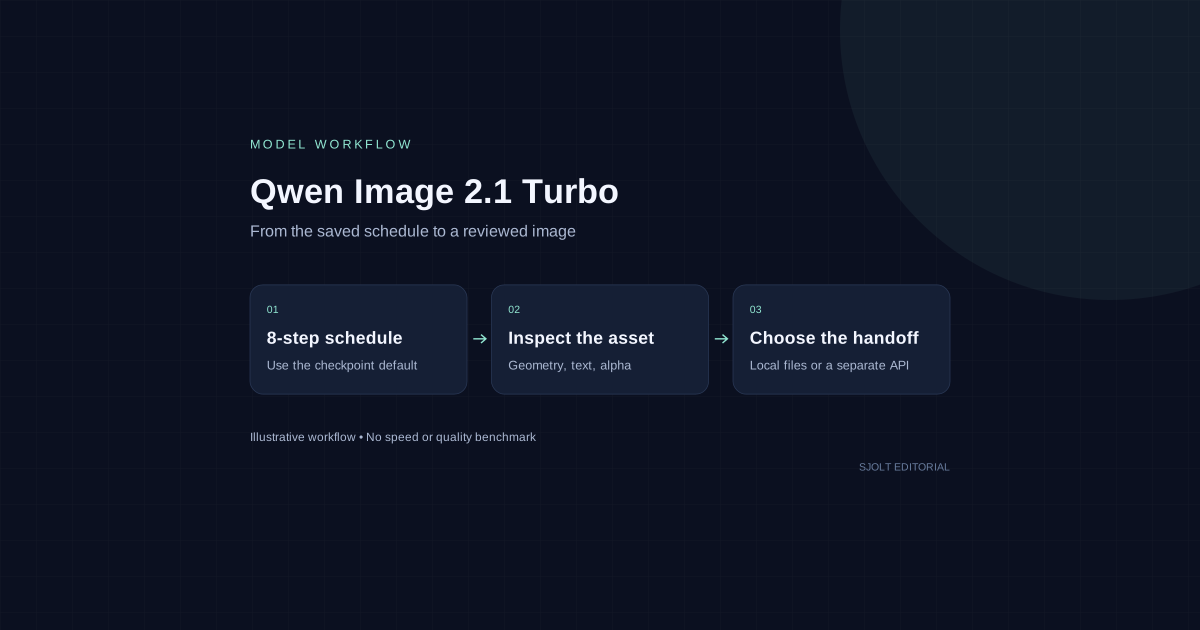
Qwen Image 2.1 Turbo is a released image-generation and editing checkpoint, not just a rumored product name. Qwen’s official repository dates its release to October 9, 2026 and links hosted Pro and Turbo APIs. The Turbo model card specifies eight denoising steps and the same 7B visual generation architecture as the base model.
For a developer, the useful decision is how to evaluate and deliver an asset: run the checkpoint in a compatible environment, use the provider’s hosted service, or choose a separately supported image API. SJolt does not currently list Qwen Image 2.1 Turbo. This guide does not invent an SJolt endpoint for it.
Choose the access route before writing integration code
| Route | What is established | What to check next |
|---|---|---|
| Local Turbo checkpoint | Official downloadable weights and Diffusers example. | Runtime support, memory use and license for the intended use. |
| Alibaba Cloud Model Studio | Qwen links an official Turbo service entry. | Account access, region, request contract and current price. |
| SJolt | Qwen Turbo is absent from the checked catalog. | Choose a supported model separately; do not reuse a guessed Qwen identifier. |
The hosted service entry could not be read during this review. The repository confirms that the service was announced, but it does not establish your account’s entitlement or a verified HTTP request shape. Follow the official service link for those details. A Hugging Face provider badge is also a different distribution channel from Alibaba’s own service.
Load the saved schedule instead of guessing a step count
The model card recommends a CUDA-compatible PyTorch installation, current Diffusers source, transformers 5.17.0 or later, Accelerate and Pillow. Its checkpoint saves the recommended sampling schedule and uses CFG 1 by default. The square preset is 2048 × 2048. The example below follows that documented pipeline with an original, simple evaluation prompt; it was checked for syntax but not run on a GPU.
import torch
from diffusers import QwenImage21Pipeline

pipe = QwenImage21Pipeline.from_pretrained(
    "Qwen/Qwen-Image-2.1-Turbo",
    dtype=torch.bfloat16,
).to("cuda")

image = pipe(
    prompt="A blue ceramic mug on a pale studio table, soft side light, no text.",
    width=2048,
    height=2048,
    use_kv_cache=True,
    generator=torch.Generator("cpu").manual_seed(42),
).images[0]
image.save("mug-evaluation.png")
Diffusers PR #14950 adds pipeline-configured sample_sigmas. When a saved grid exists, that grid determines the steps; changing num_inference_steps alone does not replace it. A call-time sigmas value overrides the saved grid. Begin with the checkpoint default and change one variable only after a reproducible baseline exists.
Record the checkpoint revision, installed library versions, GPU, dtype, dimensions and seed with each candidate. A command that imports successfully does not prove that the device has enough memory for the full pipeline. The 7B figure describes the visual generator, not a complete VRAM budget. Measure loading and peak inference memory on the intended machine before scheduling a batch.
Use a small acceptance set that exposes your actual failure cases
Start with three tasks rather than a collage of impressive prompts: an object on a plain background, a short exact headline, and one edit to an existing reference. Define the pass conditions before seeing the outputs. For the mug example, count the handles, inspect the rim and base, and reject invented lettering. Keep rejected candidates in the record so the selection does not conceal repeated failures.
For editing, make the requested change narrow: replace the tabletop while preserving the mug’s silhouette and material. Compare source and result side by side at the same scale. Mark each unwanted change, including altered product geometry or a new reflection that obscures the label. A pleasing result may still be unusable for a reference-dependent job.
The Qwen repository documents native RGBA generation and editing. For an alpha test, request transparency explicitly, save PNG, then inspect the alpha channel and composite the image over both light and dark backgrounds. A painted checkerboard is not transparency. Look for edge halos, partially erased features and shadows that become obvious only after compositing.
Measure first-run loading separately from warm generation. For a useful comparison, hold dimensions, reference files and acceptance rules constant, then count accepted outputs and manual cleanup time. Eight denoising steps does not prove an eightfold speedup, a quality tie with the base model, or a latency advantage over another provider. No such benchmark was performed for this article.
Check the checkpoint terms before commercial deployment
The downloadable checkpoint carries the Qwen Research License Agreement. Section 2 limits its grant to non-commercial research or evaluation and requires a separate license for commercial use. Do not describe these weights as unrestricted commercial open source. Review the complete license and obtain the appropriate rights before building a paid service around them; hosted-service terms must be checked separately.
Use a reviewed image as the boundary between tools
For local evaluation, keep the selected image, input references and run record together. Before moving an asset into a production workflow, confirm that your intended use is permitted and inspect its actual file format, dimensions and alpha. An opaque JPEG export cannot preserve transparency from an earlier PNG.
If you want hosted generation through SJolt, Nano Banana 2.1 is a separately supported option for text-to-image and reference-guided editing. It is a different model with a different contract. Its image-edit route accepts 1–14 public HTTP(S) PNG, JPEG or WebP reference URLs and an editing prompt. It does not accept Qwen’s sampling schedule or provide a promise of pixel-identical behavior.
For exact headlines and final layout, keep text editable in a suitable editor instead of repeatedly regenerating the whole design. Preserve the approved raster independently from that document. This review used primary documentation and the current SJolt catalog; it did not download weights, run inference, test hosted access, or submit paid generation requests.
Sources & further reading
Take the next idea into production.
Explore the models, test a workflow in the playground, and use the same request in your application.