
Creative Workflows
Helix World: Interactive Audio, Controls, and First-Frame Workflow
Helix World generates picture and spatial sound as you navigate. Learn what its preview exposes, how to prepare an informative first frame, and how to assess control and audio together.
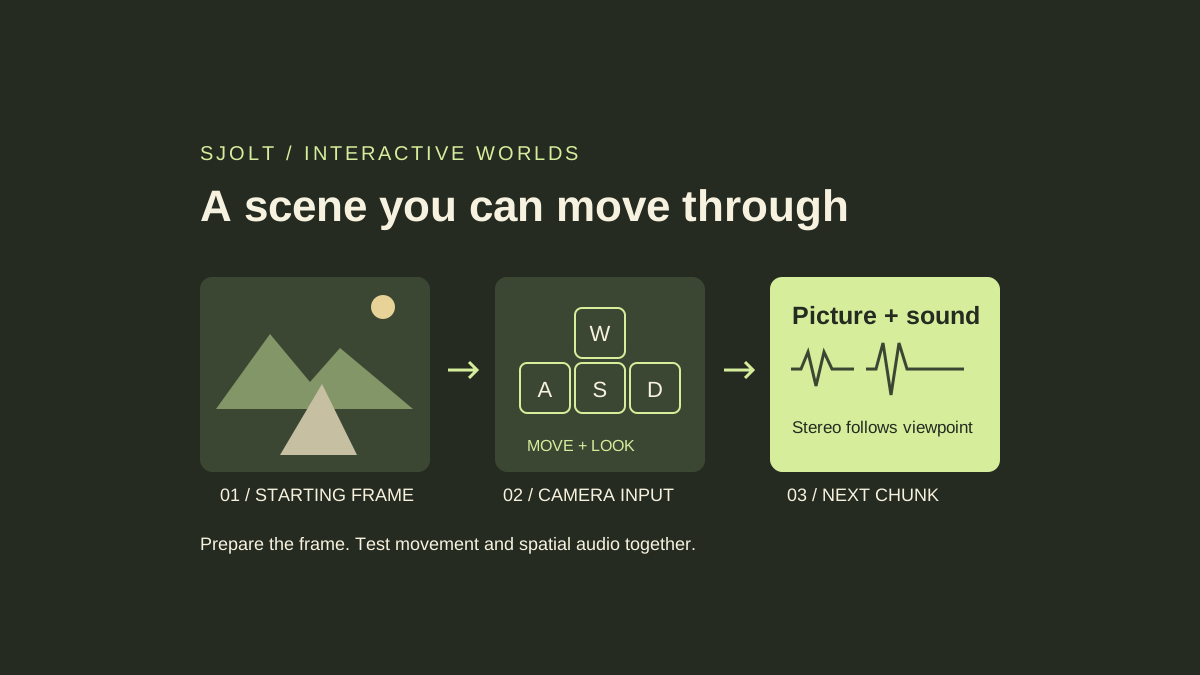
Helix World, also written HelixWorld, is an interactive audio-visual world model from Noiz AI and HKUST. A starting image supplies the scene, and camera controls steer what is generated next, including spatial stereo sound. The October 12 developer overview links a browser demo, inference code, a preview checkpoint, and the research paper.
The immediate creative use is to explore a visual environment while judging how its sound changes with viewpoint. SJolt does not host Helix World. It can help prepare a starting image through an existing image model, followed by a manual handoff to the external demo. The workflow below is a proposed evaluation, not a report of a live generation run.
What is available, and what the preview does
The project README dates Preview v1 code and checkpoint availability to September 3, the technical report to September 29, and the HelixBench release to October 12. The latest blog coverage therefore should not be mistaken for the first existence of every project component.
In the browser demo, pick a sample frame or upload an image. The interface describes encoding the frame at 768 × 512, using WASD for movement and the arrow keys for looking around. A prompt is optional. The demo describes generation in roughly 1.3-second chunks, with input binding to the next chunk, so control response is not instantaneous.
Use one simple action at a time when first assessing the controls. Move forward, pause, then turn. If you change the prompt and several movement keys together, it becomes harder to identify whether a surprising scene change came from navigation, prompt interpretation, or generated drift.
Evaluate the sound field while changing the viewpoint
The research paper describes jointly generated visual scenes and camera-grounded stereo audio. It introduces HelixBench to evaluate spatial-acoustic consistency: whether the sound field follows a changing viewpoint. This is a more specific goal than simply attaching an ambient soundtrack to a video.
| Proposed observation | Scene setup | What to record |
|---|---|---|
| Left-right behavior | A visible fountain placed left of center | Whether its apparent sound direction changes when you turn |
| Event timing | A clearly visible intermittent action | Whether the sound starts and stops near the visible event |
| Return path | A recognizable doorway and two distinct landmarks | Whether structure and sound remain understandable after turning back |
| Prompt update | Change one environmental detail during the session | Which later chunk reflects the change |
Use stereo playback and note the equipment. A laptop speaker test and a headphone test have different listening conditions. Keep your visual observations separate from audio observations, and record where each fails. An attractive frame does not prove that the navigation or the sound is stable.
For a short review, write down the initial frame, prompt, control sequence, and elapsed time at each observation. Reuse that packet after a model or demo update. The purpose is to expose a repeatable weakness or improvement, rather than select the most flattering moment from a long session.
Prepare a first frame with readable spatial clues
Choose a scene with a clear ground plane, an unobstructed route, and a few identifiable landmarks. A small plaza with a fountain, an archway, and a bench gives you both navigation cues and a plausible localized sound source. A close crop of a face gives much less evidence about the environment you hope to explore.
If you need an original image, SJolt’s Nano Banana 2.1 text-to-image route can produce a candidate. The following request body uses the catalog’s supported 3:2 ratio to match the demo frame’s proportions. It is a preparation step; it does not call Helix World or establish that the external model will preserve every object.
{
  "input": {
    "prompt": "An eye-level view into a quiet stone courtyard. A small fountain stands left of center, an open archway is straight ahead, and a red wooden bench sits on the right. A clear stone path leads through the middle. Overcast daylight, natural materials, coherent perspective, no text or people.",
    "aspect_ratio": "3:2",
    "resolution": "1K"
  }
}
Submit this body to POST https://sjolt.ai/sjolt-ai/v1/google/nano-banana-2.1/text-to-image with your server-side bearer credential. Store data.task_id, then query GET /sjolt-ai/v1/tasks/{task_id}. Status 0 means running, 1 means succeeded, and 2 means failed. After success, retrieve the image from data.output_urls and inspect it before uploading it to Helix World.
Reject a candidate if the path already contains contradictory geometry or the fountain is barely visible. Save the accepted image and its exact prompt together. For the first Helix session, describe the same courtyard and fountain sound without adding a moving crowd or changing the weather; those can become separate experiments later.
Understand the local inference requirements
The repository recommends Linux, Python 3.11, CUDA 12.x, an NVIDIA GPU with 80 GB VRAM, and system ffmpeg and ffprobe. It reports roughly 70 GB VRAM for a reviewed BF16 single-GPU run. Its reported steady-state real-time factor is 0.77 at 768 × 512 and 24 fps on an H800, including audio and video decoding. These are project-reported conditions, not measurements from this article.
Do not extrapolate that result into a consumer-GPU speed or a browser latency guarantee. A hosted session also includes startup and network behavior. If you already have appropriate hardware, use the repository’s current setup instructions and a small sample before budgeting a larger experiment.
One CLI detail matters for reproducibility: in the README action syntax, the numbers after a colon count latent transitions, not seconds. For its 121-frame example, the action sequence spans 15 transitions. Label an action script with its frame count and model version so another reviewer does not interpret those counts as wall-clock durations.
The preview checkpoint card lists the bundled inference parameters and links its license. Download access alone does not replace checking those terms. This review inspected the published material without downloading model weights, installing its runtime, or renting a GPU.
Choose between an interactive experiment and a finished clip
Use the Helix preview when the question is how a scene responds as a viewer moves, including spatial sound. If the deliverable is a fixed promotional clip, choose a documented video-generation route and review the resulting file as a linear piece of media.
SJolt’s Gemini Omni 1.1 Flash page documents text-to-video and reference-to-video workflows. A reference-guided clip can reuse an approved scene image, but it is a separate generation task with its own controls. It does not expose Helix’s interactive navigation state.
Keep a short decision record: the scene you tested, whether camera response was usable, whether stereo behavior helped the experience, and the defects that blocked your intended use. That record makes it easier to decide whether to continue with an interactive prototype, revise the first frame, or produce a conventional video instead.
Sources & further reading
Take the next idea into production.
Explore the models, test a workflow in the playground, and use the same request in your application.