
Model research
Genie 4: Preview Access and a Practical Interactive Scene Test
Genie 4 is an announced world model with limited preview access. Separate the rollout from future API access, then evaluate one small scene with a written control sequence.
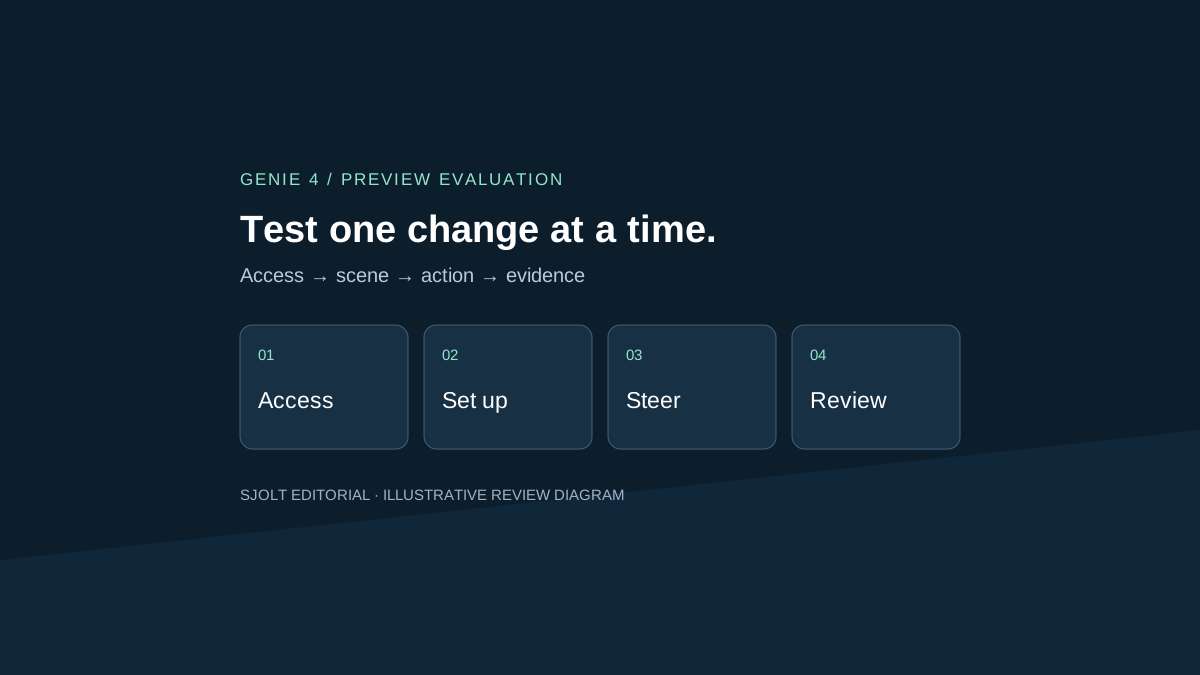
Genie 4 is Google DeepMind’s world model announced on October 27, 2026. It generates an interactive scene that can respond to navigation and text instructions, with native audio. At this October 29 review, the official rollout is a research preview for trusted testers; broader access remains forthcoming.
For creative teams, the useful question is whether steering a scene helps settle a specific production decision. A convincing demonstration does not tell you whether your scene will remain coherent after several changes. This guide proposes a small evaluation you can prepare before access, and separates that experiment from the image and video tasks currently available on SJolt.
Check the access channel before planning an integration
Google’s announcement says Genie 4 is coming to Google AI Ultra subscribers through Project Genie and to early access partners through the Gemini API and Google AI Studio. Use the official model page’s waitlist link to follow access. These statements do not establish that every Ultra subscriber can use Genie 4 today, or that an ordinary API key has access.
The reviewed pages do not provide a public Genie 4 request schema, price table or generally available model ID. Leave those fields unresolved in your integration plan. Do not manufacture an endpoint from the product name. SJolt’s current catalog also has no Genie 4 route; a Gemini-branded model in the catalog does not supply this world-model preview.
| Need | Evidence to obtain | Decision now |
|---|---|---|
| Explore the preview | An explicit access grant for your account | Prepare a scene brief while waiting |
| Build an application | Documented session controls, authentication, quotas and billing | Keep the transport layer undecided |
| Deliver a fixed image or clip | A supported generation route and output contract | Use a separate media workflow |
Distinguish live steering from a finished recording
DeepMind describes changing scenes through natural language and navigating them with controls. It says generated sound includes ambience, music and interactive dialogue. The launch also describes Gemini models observing the simulation and helping plan events. These are provider descriptions of the preview, not capabilities independently measured for this article.
A recording shows one path through an experiment. An interactive review needs to show what happens when the operator makes a different decision. Write down the decision first: for example, whether moving a practical light can improve a shop-window composition without losing the arrangement of its products. That gives the session a purpose beyond collecting attractive frames.
Use a small shop scene with three separate trials
An original test scene contains a wooden counter, a blue box on the left, a red kettle on the right and one overhead lamp. Keep the initial description, viewpoint and lighting fixed. The objects have different shapes and colors so a reviewer can notice substitutions. Do not start with a crowded street or a complicated stunt.
| Trial | Operator action | Review evidence |
|---|---|---|
| Return to the counter | Turn away, then return to the starting view | Box and kettle remain identifiable and on their original sides |
| Change the light | Ask for the overhead lamp to switch off, then on | The requested light changes; unrelated objects stay stable |
| Add one sound event | Ask for rain outside while the shop stays dry | Rain becomes audible without silently moving the scene outdoors |
Run these as separate trials from the same written setup where the interface allows. If it cannot restore an identical state, record that limitation; do not present separately regenerated scenes as controlled replays. Keep the operator’s input time, first visible response and first audible response in different columns. A delayed sound change and an ignored instruction are different failures.
Use a brief fixed observation window, such as thirty seconds after each action. This is a proposed test length, not a promised Genie session allowance. Save the whole trial when recording is available, including unsuccessful moments. Note the first failure and whether a corrective instruction recovers the intended state. Do not score a trial solely from its best frame.
Set acceptance rules that match the deliverable
The official model page lists drifting details and object permanence, imperfect real-world location accuracy, text-rendering problems and audio accuracy as limitations. It describes continuous interaction lasting a few minutes, rather than extended sessions, and says example recordings are shortened. Use those qualifications when deciding what a demo can establish.
For a mood exploration, changing small decorative details may be acceptable. For a product demonstration, a kettle gaining a second handle is a rejection. Define those thresholds before reviewing. Mark an observation as unobservable when the camera never shows the relevant feature; do not turn missing evidence into a pass.
A useful record contains setup revision, action, expected change, first response time, preserved details, defect timestamp and verdict. Keep continuity and instruction-following verdicts separate. If you compare later versions, repeat the written sequence and report all attempts, rather than selecting one successful session from each. This is an editorial test proposal; no Genie access or paid generation was used here.
Prepare the visual brief separately on SJolt
Before the interactive trial, a concept board can help reviewers agree on the shop’s layout. You can draw it, photograph your own set, or request a still from SJolt’s Nano Banana 2.1 text-to-image route. The following optional body belongs on POST /sjolt-ai/v1/google/nano-banana-2.1/text-to-image. It prepares a planning image; it does not launch Genie or guarantee that a later Genie interface accepts the image.
{
  "input": {
    "prompt": "Eye-level concept photograph of a small empty shop. A wooden counter holds one blue rectangular box on the left and one red kettle on the right. A single overhead lamp illuminates the counter. A window behind it shows an overcast street. Clear spatial layout, no people, lettering or logos.",
    "aspect_ratio": "16:9",
    "resolution": "1K"
  }
}
The request shape was checked locally against SJolt’s adapter without submitting a generation. For an actual task, retain data.task_id, then poll /sjolt-ai/v1/tasks/{task_id}. Status 0 means running, 1 success and 2 failure; successful result URLs are in data.output_urls. Inspect the still against the written object list before using it in a review packet.
Choose the next deliverable from the evidence
If the trials resolve a camera or lighting question, transfer that decision into your shot brief. If object drift blocks product review, return to a controlled set or editable scene. If the goal is a finished linear clip, use a documented video route and review the exported file; an interactive session and a delivered video have different acceptance criteria.
- Grok Imagine shot planning and continuity review
- Helix World: a separate interactive audio-visual workflow
Keep three things together: the approved scene description, the complete observation record and the decision it supports. That makes an early world-model experiment useful even if access conditions change. It also makes clear which parts came from a provider announcement, which are your team’s observations, and which remain untested.
Sources & further reading
Take the next idea into production.
Explore the models, test a workflow in the playground, and use the same request in your application.