
Video workflows
Grok AI Odyssey: The Released Episode and a Practical Shot Workflow
Odyssey is a credited Grok Imagine film project. Use its official announcement as the starting point, then build your own short sequence with a shot ledger and explicit continuity checks.
Grok AI Odyssey refers here to the Odyssey series made with Grok Imagine. The official October 23 announcement labels the release Episode 1 and credits a creative collaboration with Wonder Studios and director Dev Walker. Wonder Studios also confirms working with the Imagine team. This establishes a released creative project; it does not establish a new model named Odyssey or a feature-film API endpoint.
To watch it, start with the original announcement linked below. For production planning, separate what the credited release establishes from what a model’s current API accepts. This guide proposes an original four-shot exercise and explains the SJolt contract that can support it. It does not claim to reproduce the filmmakers’ private process or report a generation test.
What the official announcement tells you
The announcement invites interest in a making-of breakdown. It does not disclose the number of discarded attempts, editing timeline, final sound workflow or exact model version used. A finished episode therefore cannot tell you how many API requests another project will need. The credits are also a reason to retain the role of human direction and editing when describing the result.
Avoid transferring details between separate Odyssey experiments. A contest entry, an earlier pilot and this episode can share a source story without sharing a director, budget or production recipe. Attach any making-of claim to its original project and date. The release post supports the episode’s identity and collaborators, not a general claim of historical accuracy or a comparison with another film.
Choose the API surface before designing shots
xAI’s direct documentation describes Video 1.5 clips up to fifteen seconds, native audio, reference controls and additional resolution choices. Those provider capabilities do not automatically appear in every integration. SJolt’s current Video 1.5 adapter exposes three routes with 720p output and whole-number durations from one to fifteen seconds, defaulting to eight.
| SJolt operation | Required visual input | Framing rule |
|---|---|---|
| text-to-video | No image field | Choose a supported aspect_ratio |
| image-to-video | One image_url | Framing follows the image; omit aspect_ratio |
| reference-to-video | Two to seven image_urls | Choose a supported aspect_ratio |
SJolt’s prompt limit is 4,096 characters. Its accepted explicit ratios are 1:1, 16:9, 9:16, 3:2 and 2:3, alongside auto. The reviewed input schema does not accept voice-reference or keyframe fields. If a shot requires a feature described only in xAI’s direct API, choose that documented surface or redesign the shot; adding unknown fields to an SJolt request will not enable it.
Plan twenty-four seconds around one visible decision
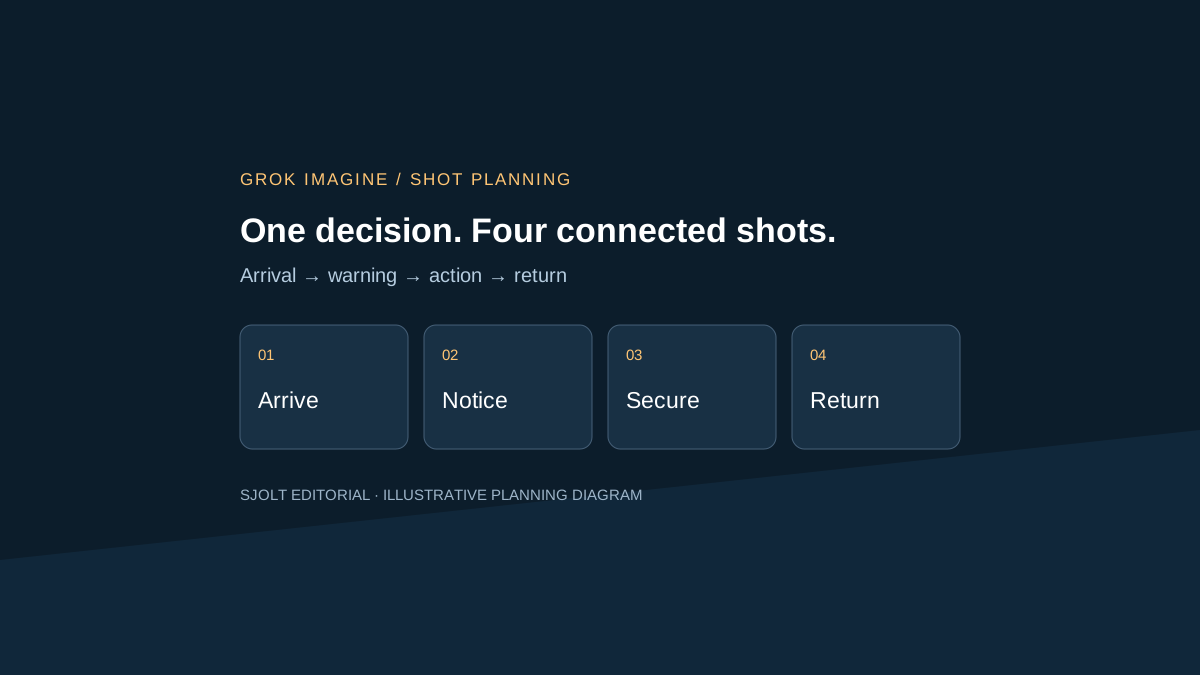
Use an original miniature story: a courier reaches a quiet harbor, notices a storm signal, secures a small boat and returns to the sheltered quay. Give the courier a yellow coat and the boat a red bow stripe. Those two identifying details make continuity review concrete without borrowing a modern film’s character design or footage.
| Shot / planned duration | Action | Continuity requirement |
|---|---|---|
| 01 / 6 seconds | Wide harbor view; courier enters from the left | Boat stays on the right, red stripe visible |
| 02 / 6 seconds | Courier sees the storm signal and turns | Yellow coat and direction toward the boat remain stable |
| 03 / 6 seconds | Close view of hands securing the rope | Rope attachment and boat position match the wide shot |
| 04 / 6 seconds | Courier walks back to the sheltered quay | Screen direction reverses for a clear story reason |
Prepare a courier reference and a harbor-and-boat reference from material you can use. Keep a separate approved opening frame if composition must begin at a precise position. Use reference-to-video to guide recurring appearances, or image-to-video when the opening composition matters more. Neither choice guarantees a matching exit pose for the next shot.
Sketch the edit before generating. Mark where the action begins and ends, which direction each subject faces and what the next shot must inherit. Six generated seconds may provide only four usable seconds after trimming. Leave room for that in the plan instead of assuming four completed clips automatically yield a polished twenty-four-second sequence.
Make each request traceable to a shot
For shot 01, the following illustrative body belongs on POST /sjolt-ai/v1/xai/grok-imagine-video-1.5/reference-to-video. Replace the two example URLs with your own public image URLs before use. No request was submitted for this article. Keep a shot identifier in your own ledger; do not add it as an undocumented input field.
{
  "input": {
    "prompt": "The first reference defines the adult courier in a yellow coat. The second defines the harbor and boat with a red bow stripe. Wide locked camera, courier enters from the left and pauses, boat remains on the right. Soft wind and water ambience. No dialogue, titles or cuts.",
    "image_urls": [
      "https://example.com/courier-reference.jpg",
      "https://example.com/harbor-reference.jpg"
    ],
    "aspect_ratio": "16:9",
    "resolution": "720p",
    "duration": 6
  }
}
Record shot ID, brief revision, reference order, request settings and returned task ID together. Poll /sjolt-ai/v1/tasks/{task_id}; SJolt uses status 0 for running, 1 for success and 2 for failure, with result URLs in data.output_urls. On success, retain the result and judge it against the shot’s acceptance rule before moving it into the edit.
Budget for attempted footage. Four six-second requests contain twenty-four requested seconds. If every shot needs three attempts, that becomes seventy-two requested seconds before any editing. Multiply by the applicable current rate, then add preparation, review and post-production time separately. This is planning arithmetic, not an observed retry rate or a claim that this budget will produce an acceptable film.
Review the cut, not just attractive frames
Check each shot at normal speed for coat and boat identity, hand geometry, rope contact and the intended action. Then inspect adjacent shots as a pair. A visually convincing shot can still fail when the boat moves sides across a cut or a completed knot becomes an untied rope. Record the first failing timestamp and the specific continuity requirement.
Review sound across the sequence as well. Individually generated ambience may change abruptly at a cut. Choose one consistent, authorized ambience bed or edit the generated sound deliberately; listen on headphones and a phone speaker. Do not describe this as a disclosed Odyssey production technique: it is an editorial step proposed for the harbor exercise.
Keep accepted takes, rejected alternatives and final trim decisions distinguishable in the project. Export a review copy with shot IDs, check the crop on the delivery device, then remove those working labels for the approved master. The useful lesson from a credited AI film project is to plan the decisions between shots. An episode announcement supplies something to watch; a documented, reviewable sequence supplies something your own team can reliably finish.
Sources & further reading
Take the next idea into production.
Explore the models, test a workflow in the playground, and use the same request in your application.