
Model guides
Gemini Omni 1.2 Flash: Release, API Limits and SJolt Availability
Google has released Omni 1.2 Flash. SJolt’s reviewed implementation now includes generation and editing routes; qualify their exact inputs before migrating a production workflow.
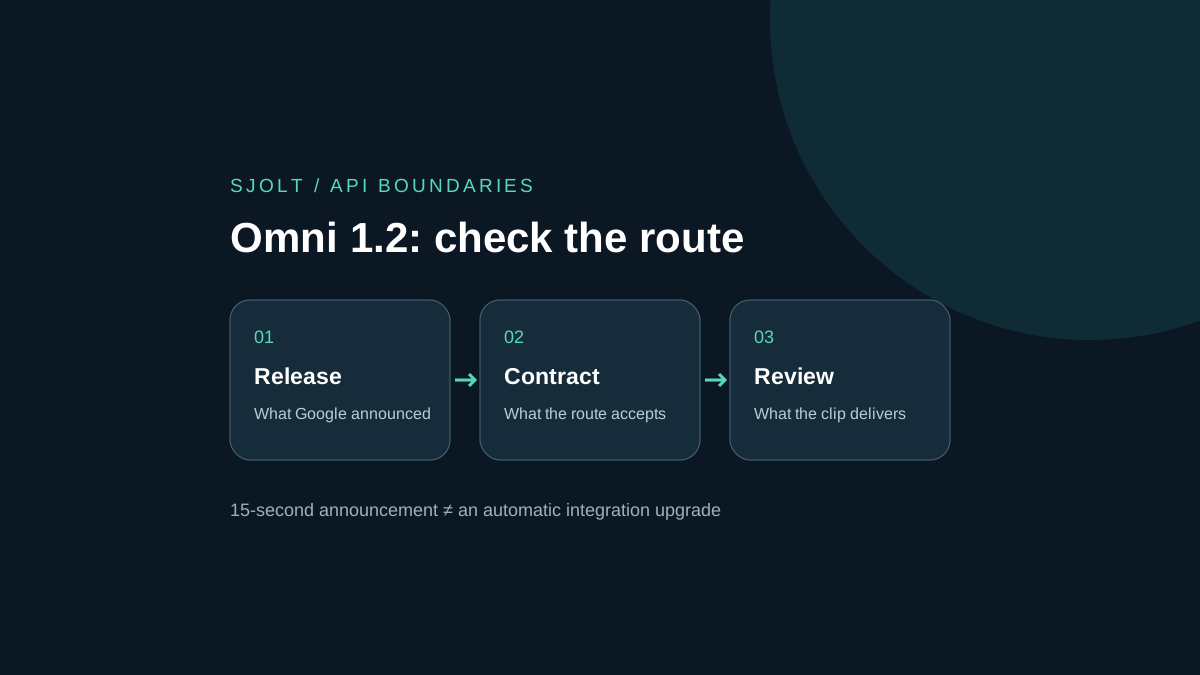
Google released Gemini Omni 1.2 Flash on November 5, 2026. Its announcement describes video generation and editing up to 15 seconds, improved reference following and multi-turn revisions. Searches for “gemini omni 1.2” and “gemini omni flash 1.2” point to this same named release; they do not establish a separate non-Flash model.
The SJolt catalog reviewed on November 9 now implements Omni 1.2 Flash text-to-video, reference-to-video and video-edit routes. This corrects our November 6 finding that only earlier Omni routes were present. The contract and examples below were checked locally; this editorial review does not verify deployment or account access on the live service. Check the linked model pages before submitting work.
What changed, and where to verify it
Google’s announcement identifies the Gemini API and business products as access surfaces. It also describes a phased rollout to Google AI Ultra subscribers in the Gemini app. Availability in one surface does not establish that every account or third-party API exposes the same controls.
For planning, separate three questions: which model was announced, which endpoint accepts your request, and which features your application actually sends. Save the model identifier and the relevant documentation beside the request. A successful response from an older route cannot by itself demonstrate that the request used a newer release.
Read the contract for the specific Google surface
The Google Cloud model page names gemini-omni-1.2-flash and lists the Interactions API, with GenerateContent and Chat Completions unsupported. It distinguishes generation/editing at 3–15 seconds from first-and-last-frame output at 3–10 seconds. It also marks standalone audio input unsupported while listing generated speech, music and effects. The launch post discusses audio cues more broadly; do not turn that wording into an audio-upload parameter for this Cloud contract.
Before porting an application, make a short capability record for the task you need. Include the API surface, input media types, maximum output duration, response handling and revision mechanism. Treat any unresolved field as an integration question. In particular, a conversational edit needs a documented way to refer to prior state; adding a chat-history field to an unrelated video endpoint does not supply that mechanism.
| SJolt 1.2 route | Accepted inputs and controls | Migration check |
|---|---|---|
| text-to-video | Prompt; whole-second duration 3–15; 16:9 or 9:16 | No image or video input; default duration is 8 seconds. |
| reference-to-video | Prompt plus 1–5 image URLs; duration 3–15; 16:9 or 9:16 | References guide appearance; they are not designated first or last frames. |
| video-edit | Prompt and one MP4 URL; up to 5 optional image URLs | Omit duration and aspect_ratio: the result follows source timing and framing. |
| All three | 360p, 720p or 1080p resolution | No 4k, standalone audio-upload or conversation-history fields in this SJolt contract. |
A 1.1 request is not automatically a valid 1.2 request. In particular, the reviewed 1.1 reference route allows seven images and 4k, while the 1.2 route accepts five images and tops out at 1080p. Select the new route explicitly and revalidate stored presets. Google’s broader model features do not add controls to the SJolt request schema.
Check dialogue requirements separately from video editing
Google DeepMind’s November 2026 model card lists text, image, audio and video inputs at the model level. It also says that changing people’s speech during video editing is currently restricted. A broad input list does not override the narrower Google Cloud endpoint contract above, and conversational editing does not promise unrestricted dialogue replacement.
If your brief includes dialogue, write down whether you need newly generated speech, unchanged speech from an input clip, or replacement of words already spoken. Those are different acceptance criteria. Google Cloud lists generated speech among output capabilities; the model-card restriction concerns altering people’s speech in an edit. Do not treat one statement as a guarantee about the other task.
For the lamp evaluation, keep speech out of the first trial so visual continuity can be reviewed independently. For a later narrated deliverable, retain an approved script and inspect the actual spoken words, timing and speaker continuity. If replacement dialogue is essential, verify that exact operation on the chosen service before planning the edit; an independently recorded voiceover is another production option. These are proposed review steps, not results from a paid test.
A lamp shot that exposes reference drift
Use a photo of an original desk lamp with a round base, one curved stem and a visibly asymmetric switch. Ask for a single camera move that reveals the switch. The asymmetry gives the reviewer a concrete feature to track: a mirrored switch or a second stem is a failed continuity check, even if the scene looks attractive.
- Start with one reference and a plain background. Record which side contains the switch before any generation.
- Keep the camera direction and lighting fixed across candidates. Change the model or duration, not the entire brief.
- Inspect the opening, the first reveal of the switch and the ending; then watch the transitions at normal speed.
- For a revision trial, change only the background color and check whether the base, stem and switch remain intact.
A ten-second comparison measures the shared task. A separate fifteen-second trial measures the new duration requirement. Keep those results in separate columns so extra running time is not mistaken for better reference adherence. This is a proposed evaluation, not a claim that either model passed it.
A reference request for SJolt Omni 1.2 Flash
The following body targets POST https://sjolt.ai/sjolt-ai/v1/google/gemini-omni-1.2-flash/reference-to-video. Supply your SJolt API key in the Authorization bearer header and replace the placeholder with your own public image URL. It requests a fifteen-second clip through the implemented 1.2 route.
{
  "input": {
    "prompt": "Use the reference for an original teal desk lamp. Keep its circular base and single curved stem unchanged. One continuous slow camera move reveals the lamp on a plain wooden desk. Soft room ambience, no speech, music, text or cuts.",
    "image_urls": [
      "https://example.com/owned-lamp.png"
    ],
    "aspect_ratio": "16:9",
    "duration": 15,
    "resolution": "720p"
  }
}
After submission, retain the task ID and poll GET /sjolt-ai/v1/tasks/{task_id}. Status 0 means running, 1 succeeded and 2 failed; read a successful result from data.output_urls. For an edit, submit a new video-edit request with video_url pointing to the chosen MP4 and omit duration and aspect_ratio. This is an explicit source-video handoff, not an automatic conversation history.
The example was checked with SJolt’s actual local adapter without making a generation call. That validates the request shape, not output quality, latency or account entitlement.
Budget the approved result, including revisions
Google’s Cloud announcement quotes $0.07 per second for 720p, a 30% reduction relative to Omni 1.1 Flash. This is Google’s stated rate, not SJolt pricing. A fifteen-second output at that rate is $1.05 before any additional billable work. Check the active price page for your chosen task and service before committing a budget.
For an illustrative production plan, three fifteen-second attempts would be $3.15 at that simple output rate. If only one is accepted, $3.15 is the attempt cost behind that accepted clip; $1.05 is merely the cost of one output. Editing, upscaling, taxes and any other applicable charges are outside this calculation.
The reviewed SJolt catalog instead lists $0.03 per second at 360p, $0.05 at 720p and $0.08 at 1080p. At those rates, this fifteen-second 720p example is $0.75, or $2.25 for three attempts. Video editing bills the source duration rounded up to a whole second: an illustrative 10.2-second input at 720p is 11 × $0.05 = $0.55. These are separate hypothetical SJolt calculations, not Google invoices or measurements of generated output.
Set an attempt ceiling before evaluating. If the lamp geometry fails repeatedly, simplify the motion or use a conventional product shoot. A release’s vendor-reported quality improvement is useful motivation for a trial, but the delivery decision should follow your own acceptance criteria. No paid inference or comparative benchmark was performed for this guide.
Sources & further reading
Take the next idea into production.
Explore the models, test a workflow in the playground, and use the same request in your application.