
Creative workflows
Microsoft Outage Memes: Context, Original Captions and an Image Workflow
An outage meme works best when the joke is clear and the facts stay separate. Build an original office cartoon, add readable captions, and link to real status information when context matters.
Looking for a Microsoft outage meme? The useful starting point is the gap between an urgent workday and tools that will not cooperate. A public Reddit post titled “Microsoft 364” illustrates the number-subtraction joke: take a day away from the familiar Microsoft 365 name. That joke is commentary, not an uptime calculation or a new Microsoft product.
This guide explains that example and develops a different, original office-cartoon concept you can make with SJolt. It does not establish who invented the joke, measure its reach or reproduce another creator’s image. For actual recovery steps, use our separate Microsoft service-health guide.
Keep the joke separate from incident evidence
The linked Reddit thread is evidence of people using the “Microsoft 364” title and discussing workplace disruption. It is not evidence of the incident’s technical cause, exact duration or impact on a particular account. Read it as a cultural example. A post timestamp and a service-restoration timestamp answer different questions.
For service information, check Microsoft’s public status and, if authorized, the organization’s Microsoft 365 admin-center health page. Microsoft’s instructions explain where to find the incident ID, affected services and updates. Put that factual information in a separate note if your audience needs it; a comic panel cannot act as a current status monitor.
- Microsoft: public service status
- Microsoft: checking service health
- SJolt: Copilot and workflow recovery
Avoid turning an ambiguous joke into a factual allegation. A caption about a quiet inbox needs no claim that an AI system caused the outage. Likewise, an edited product number does not measure contractual availability. The visual can exaggerate an office situation while its accompanying factual context remains narrow and dated.
Write a setup and a payoff that belong to you
Choose one recognizable frustration: waiting for a reply, repeatedly refreshing a window, or discovering that the meeting cannot begin. Then choose a visual mismatch. In our proposed design, the office is still busy in spirit, but a tiny paper sailboat has become the fastest-looking messenger on the desk.
| Original caption pair | Visual direction | Why it is readable |
|---|---|---|
| Top: “Inbox taking a scenic route.” Bottom: “The paper boat is making progress.” | One sailboat crossing a desk toward a mug. | The second line resolves the metaphor. |
| Top: “Calendar: fully booked.” Bottom: “Desk: unexpectedly peaceful.” | An empty chair beside a closed notebook. | One contrast carries the joke. |
| Top: “Refresh number forty.” Bottom: “The coffee has filed a complaint.” | A patient mug beside a generic laptop. | The complaint is clearly fictional. |
These are original editorial proposals, not quotations from the trend. Pick one pair rather than stacking all three. Read the two lines without the picture: if they need a paragraph of explanation, shorten the setup. Then hide the captions and check that the picture still has one obvious subject.
Design the square before asking for an image
Use a square canvas for this example, with the desk action in the middle and empty bands above and below. Keep the laptop screen blank and generic. This gives you room to add exact typography in an editor and reduces the chance that invented interface details will be mistaken for an authentic error message.
Keep the palette small: dark teal for the desk, cream for the paper boat, and one warm accent for the mug. These are design choices, not required model parameters. Avoid tiny decorative objects that compete with the boat. A screenshot of a real workplace can expose names or messages; a fictional scene needs none of that material.
Before making variations, choose a completion rule: the boat, mug and laptop must be identifiable at phone size, both caption bands must remain clear, and there must be no accidental lettering. Reject an attractive image if it fails those requirements. That is more useful than asking whether it merely looks impressive.
A documented SJolt request for the illustration
SJolt’s Nano Banana 2 text-to-image route accepts a prompt, aspect ratio and resolution inside input. Send this JSON body to POST https://sjolt.ai/sjolt-ai/v1/google/nano-banana-2/text-to-image with your SJolt bearer API key. The body contains no credentials or reference-image dependency.
{
  "input": {
    "prompt": "Original flat editorial cartoon of a quiet office desk. A generic blank laptop faces a small paper sailboat drifting across the desk toward a coffee mug. Calm teal and warm cream palette, one clear visual joke, generous blank space above and below for captions added later. No logos, interface screenshots, letters, numbers or watermarks.",
    "aspect_ratio": "1:1",
    "resolution": "1K"
  }
}Keep the returned task identifier and retrieve its status using the documented task API. A submission response is not the finished picture. If a client loses the response, investigate whether the job was accepted before creating another attempt. Set an attempt budget and include rejected images when you review the total spend.
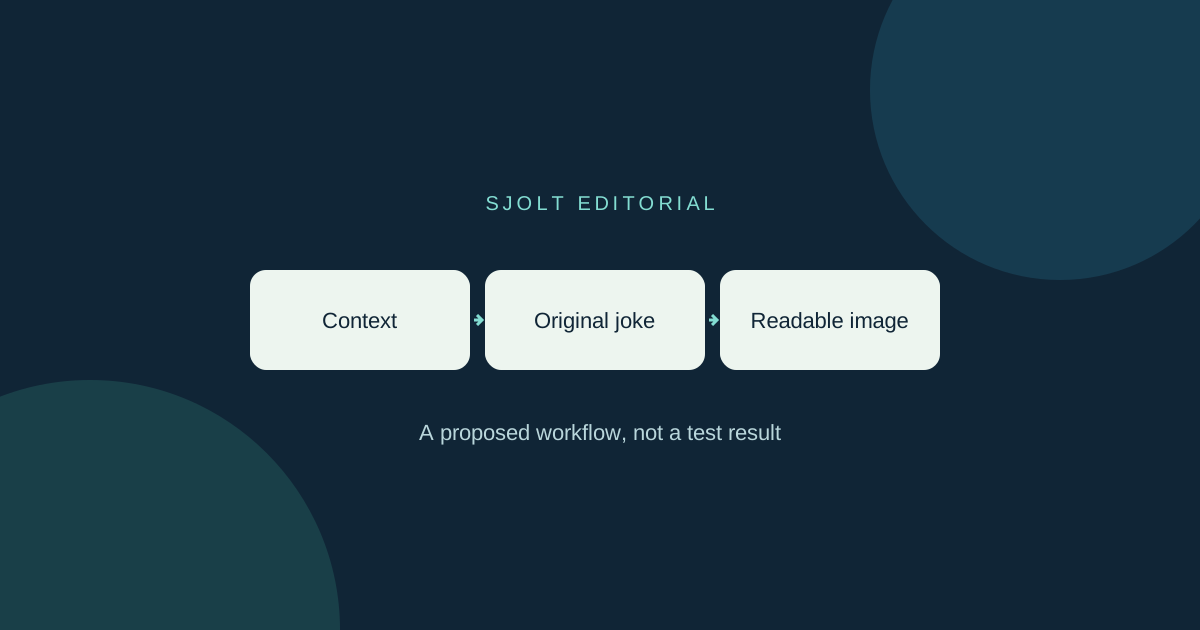
The request shape was checked against the local SJolt adapter without contacting a generation service. No paid image was produced for this article. The cover is an editorial diagram, and the prompt is a proposed starting point rather than a promise of a specific output.
Add typography and review the actual export
Place the chosen captions in a normal image editor after inspecting the illustration. Start with two short lines, generous padding and strong text contrast. Export once, then view that exported file at the size it will occupy in a phone feed. Checking only the large editing canvas can hide cramped letters and a weak punchline.
- Check the joke first: a reader should understand the setup and payoff in one glance.
- Check the image second: remove accidental symbols, fake interface text and distracting details.
- Check the context: label it as original illustration or parody where needed, and keep any incident note dated.
- Check the destination: follow the community’s posting rules and link to the source discussion instead of copying its artwork.
For an organization’s account, keep operational announcements visually distinct from the joke. A factual update should name its source and time; a comic should not look like an official Microsoft status notice. That distinction lets the audience enjoy the illustration without relying on it to decide whether email or meetings are working.
Sources & further reading
Take the next idea into production.
Explore the models, test a workflow in the playground, and use the same request in your application.