
Video product guides
Everygen AI: Check the Website, Then Choose a Video Workflow
Two similar Everygen names lead to different operator pages. Start with the exact domain, then assess the editing workflow, output requirements, and integration you need.
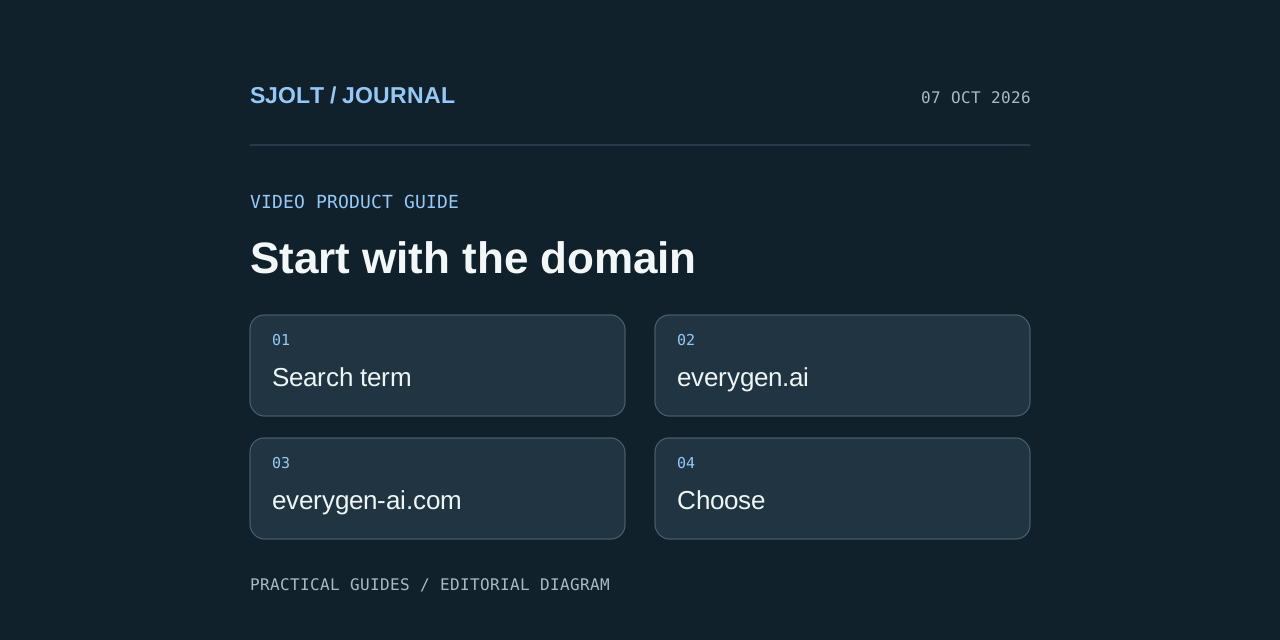
Searching for Everygen AI can lead to everygen.ai, which identifies itself as formerly Viewmax, or everygen-ai.com, which identifies its operator as EveryGen LLC. The first site’s terms name Viewmax LLC as its operator. Keep the domains separate when checking features, account access, or support; the similar names alone do not establish a shared service.
Both sites describe tools for creating video, but a product page is not a verified performance test. This guide helps you identify the site you intended to visit and evaluate the workflow against a concrete deliverable. We did not purchase access, generate a video, or verify account-specific features.
Match the name to the domain
| Domain | Public operator identification | Stated product emphasis |
|---|---|---|
| everygen.ai | Viewmax LLC, doing business as Everygen | Short-form content, Marketing Studio, and Shorts Studio |
| everygen-ai.com | EveryGen LLC | EveryGen Studio and dedicated image/video creation tools |
The everygen-ai.com about page describes its Studio as a conversational video director coordinating scenes, references, audio, assets, and assembly. The everygen.ai homepage emphasizes short-form creation and campaign tools. These are the operators’ descriptions of their products, not a conclusion that one produces better finished work.
If you already have a project or payment receipt, begin with the domain attached to that account. A login problem on one website should not be investigated by signing into a different similarly named service. For a new evaluation, bookmark the exact product and operator pages so later pricing and support checks refer to the same business.
Define the deliverable before choosing a tool
Write a short brief that includes the audience, target aspect ratio, required assets, spoken copy, and final export. Then identify the part you want the product to handle. Creating a single source clip is different from assembling a finished ad with captions, a voice track, and a closing card.
Deliverable: a vertical product teaser.
Assets: approved mug photo and approved product name.
Opening: show the mug clearly before any camera movement.
Middle: one slow move around the handle.
Ending: hold a clean frame for a call to action added in the editor.
Acceptance: stable product shape, no invented claims, readable final copy.
Use a brief with fixed product facts and avoid judging a workflow only by its most dramatic demonstration. A useful evaluation must answer how easily you can correct an ordinary mistake, keep an approved shot, and change another shot without rebuilding the whole project. The revision path often matters as much as the first generation.
Evaluate the studio workflow at its revision points
- Planning: can you inspect the scene plan and correct product facts before creating assets?
- Asset control: can you retain an approved reference and tell which scenes use it?
- Revision: can you replace one clip or adjust copy without losing approved work?
- Finishing: can you inspect captions, audio timing, crop, and the final export at delivery size?
These are questions for a trial or product demonstration, not features confirmed for both websites. Make a simple pass/fail sheet and record the actual behavior you observe. If a tool only offers a combined final export, account for the time required to make later revisions elsewhere.
Treat generated copy and visible product details as separate review items. A smooth camera move does not make an incorrect benefit claim acceptable. Likewise, a correct script does not guarantee that small packaging text survives generation. Review both the text plan and the rendered asset before calling the deliverable complete.
When a SJolt model API fits the task
SJolt’s media API is useful when your application needs to submit defined image or video jobs and keep their results in its own production workflow. It does not provide an Everygen account or reproduce either site’s complete studio through a single model call. Your application owns the planning, editing, and assembly steps surrounding generation.
| Job in your application | Supported SJolt route to inspect | Work remaining in your application |
|---|---|---|
| Render a new product still | GPT Image 2 text-to-image | Review composition and exact product details |
| Revise an approved source still | GPT Image 2 image-edit | Compare the source and output before approval |
| Generate a shot from approved references | MiniMax H3 reference-to-video | Review the clip and assemble the final timeline |
For H3 reference-to-video, the SJolt contract requires a prompt plus an image or video reference, supports 5–15-second outputs, and exposes aspect_ratio. A multi-scene finished video therefore needs an application-level plan for several jobs and a separate editing step. Do not copy a studio’s advertised project duration into a model’s duration field.
Store each task identifier with its shot and approved prompt. Once a task succeeds, retrieve its output URLs and review the clip before using it in the timeline. Keep that record independent of the final export so a later revision can replace the correct shot without regenerating everything.
Compare revision effort as well as generation charges
Choose a studio when its verified planning and editing workflow saves enough work for the deliverable you make repeatedly. Choose direct model APIs when your application needs control over submission, state, storage, and downstream assembly. A team may use both, but should keep separate records of which system produced each asset.
For a fair budget comparison, count all attempts, final editing time, and any paid services used to finish the piece. Check the current account offer on the exact website before buying. No price, unlimited-use promise, or output-quality ranking is inferred here from the trending keyword.
Sources & further reading
Take the next idea into production.
Explore the models, test a workflow in the playground, and use the same request in your application.