
Creative workflows
Google AI Edge Foresight: From Local Meeting Notes to a Creative Brief
AI Edge Foresight combines local meeting notes and retrieval. Keep decisions traceable, check the source passages, and share only a reviewed creative brief when using a cloud generation service.
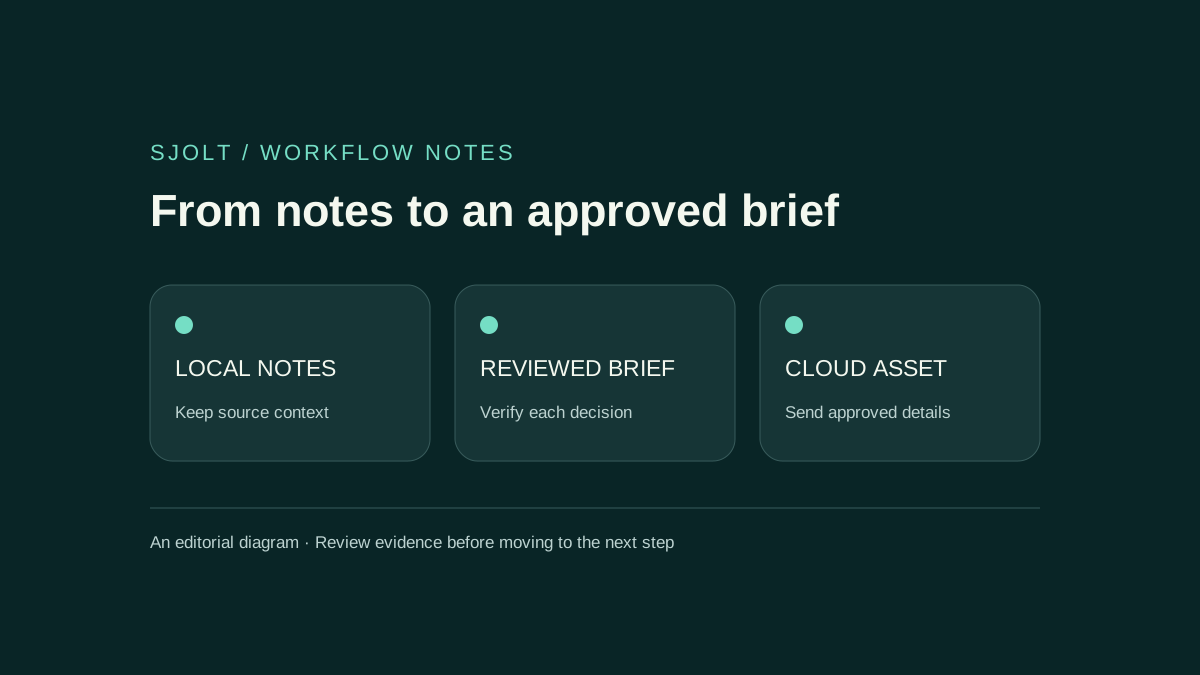
Google AI Edge Foresight is an experimental Mac meeting assistant announced on October 6, 2026. Google describes local transcription, expansion of shorthand notes, and retrieval across personal knowledge sources. It is separate from Google AI Edge Gallery, the mobile showcase discussed in the same announcement.
For a creative team, a useful first experiment is a short planning meeting: capture the decisions, verify them against the transcript, and turn only the approved details into an image brief. Keep the original meeting record local when a later production step does not need it.
What the official material establishes
- Google’s Foresight launch and local-processing description
- Official Foresight page and macOS download
Google says Foresight uses the microphone and system audio, enriches manual notes from the current conversation, and retrieves relevant material from local knowledge. The product page offers a macOS download and says the app is optimized for Apple Silicon. It lists PDFs, Office documents, plain text, Markdown, and other sources.
The public FAQ does not give a complete minimum macOS version, memory, storage, or language-support matrix. Do not infer those requirements from another Gemma application. Follow the current installer guidance and test the machine, language, and meeting setup you actually plan to use.
Retrieval finds context; it does not establish a decision
Google identifies EmbeddingGemma 2 and Gemma 4 as the underlying models. EmbeddingGemma 2 maps multiple media types into a shared embedding space; it helps retrieve related material. A generative model can then use retrieved context to compose an answer. The model’s embedding size or parameter count is not a measure of meeting-note accuracy.
Suppose a meeting discusses a blue mug and someone asks whether its handle changed. A retrieved product sheet may be relevant but obsolete. Before promoting the answer into a creative brief, check the source revision and the actual sentence that supports the claim. Similarity helps locate evidence; it cannot determine which document the team approved.
Keep three categories in your notes: agreed decisions, proposals still under discussion, and unresolved questions. A polished summary can blur those categories. Require an explicit source for a product specification and preserve “unknown” when the meeting never settled it.
Run a small acceptance test before a real meeting
Create a disposable test folder with two short documents. Give one an obsolete product color and the other the approved color, with clear version dates. Include one fact in neither file. Then hold a short test conversation with invented project names, a correction, and an unanswered question.
| Test case | Expected review outcome | Failure to investigate |
|---|---|---|
| A spoken correction | The final note reflects the correction. | The earlier wording survives as a decision. |
| Conflicting document versions | The answer identifies the supporting version. | An old fact is repeated without its source. |
| An unanswered question | The note preserves uncertainty. | The summary invents an owner, date, or specification. |
| Microphone and remote audio | Both sides appear intelligibly in the transcript. | Missing turns or duplicated passages distort the discussion. |
Complete setup first, then disconnect the network and repeat the note and retrieval operations you intend to rely on. Check the saved result after reopening the application. This verifies your installed workflow; it does not audit every possible connection, optional integration, or future update.
Record the app version, Mac model, meeting-audio arrangement, language, and observed mistakes. Review actual names and negations carefully. A summary that reads smoothly but changes “do not use the old logo” is less useful than a rough note that preserves the instruction.
Keep local processing distinct from later sharing
Google’s FAQ states that AI inference is local and that personal files, recordings, and transcripts are not transmitted to external cloud servers. Treat this as the provider’s description, not an independent network audit. Offline inference alone does not establish a universal claim about analytics, software updates, or optional connected services.
Choose the smallest relevant source folder for your trial. Leave unrelated client archives outside it. If you later connect a cloud document or calendar account, review that integration separately. A local meeting transcript and a cloud-synchronized source document have different histories even when both appear in one search result.
Before sharing a deliverable, read it as a new external document. Remove private discussion, tentative numbers, and names that do not serve the creative task. This is also a quality step: a short, approved brief usually expresses the intended image more clearly than a complete meeting transcript.
Hand off a reviewed brief to SJolt
SJolt does not list Foresight, EmbeddingGemma 2, or a native Foresight connector in its current model catalog. The practical connection is a manual text handoff. Use local notes to prepare the brief, then send only the approved creative instructions to a separately selected image model.
Subject: a fictional blue ceramic mug with a round handle.
Scene: a pale studio surface, soft daylight, no people.
Composition: 4:5 portrait, full mug visible, empty space above.
Exact text: none; final copy will be placed in the editor.
Unknown: capacity and brand; do not invent either.
For a new concept, Nano Banana 2.1 on SJolt accepts a text prompt. For a revision tied to a real product, its separate image-edit mode takes reference images. Check the supported input contract before submitting. Once sent, that brief and any supplied references are part of a cloud generation workflow; the earlier local-processing property does not carry over.
Save the approved brief beside the generated candidate and task ID. Inspect the result for invented lettering, extra parts, and changed product details. Keep that production record separate from the original meeting notes so a later reviewer can understand the asset without receiving the full conversation.
Adopt the part that passes your test
Use the local note workflow if it reliably preserves decisions and exposes the evidence you need. Keep manual correction in the process for names, technical terms, and commitments. Expand to a larger knowledge folder only after the small conflicting-document test produces reviewable answers.
No Foresight binary or model weights were installed for this article, and no accuracy or battery benchmark was run. The guide separates Google’s documented scope from a proposed acceptance test and an optional, independently reviewed production handoff.
Sources & further reading
Take the next idea into production.
Explore the models, test a workflow in the playground, and use the same request in your application.