
At blue hour on an alien salt flat, a cathedral-sized crystal jellyfish rises from the ground and releases thousands of glowing spores into the wind. A low tracking camera circles beneath it as mirrored tendrils flex and the horizon ignites with aurora. Cinematic photorealism, extreme material detail, strong parallax, turquoise, violet, and gold light, one continuous shot. SFX: crystalline resonance, deep wind, and granular salt skittering across the ground; no dialogue. No text, subtitles, logos, signs, brands, or watermark.
Veo 3.1 Image to video API
Veo 3.1 creates polished eight-second clips with cinematic movement, prompt-directed dialogue, ambient sound, and effects.
Use Standard for maximum fidelity, Fast for quicker iteration, or the reference route to guide subjects and composition.
Pricing
Generation tier
- Standard
- $0.20/s
- Fast
- $0.07/s
Playground Examples
Try production-style prompt starters.
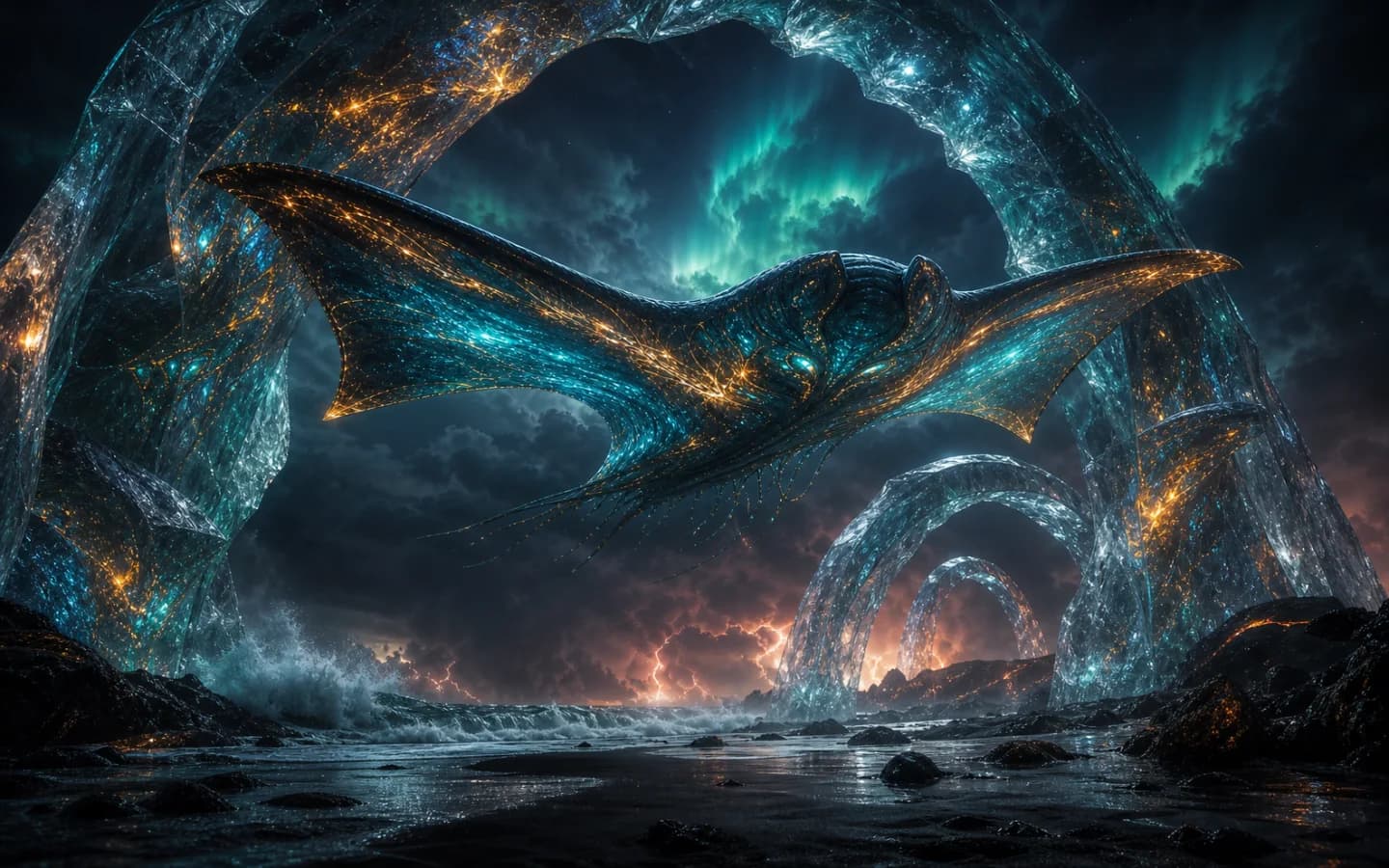
Animate the supplied sky manta hero while preserving its exact anatomy, teal and molten-gold bioluminescent patterns, storm lighting, and ocean environment. The creature banks, folds one wing, then dives through the cloud layer as the camera accelerates behind it; lightning travels along the wing veins and rain spirals in its wake. Cinematic photorealism, strong depth and scale, one continuous shot. SFX: rushing wind, thunder, ocean roar, and a deep organic wing pulse; no dialogue. No text, subtitles, logos, signs, brands, or watermark.
Use the reference images to preserve the exact sky manta anatomy, silhouette, teal and molten-gold bioluminescent markings, and premium cinematic realism. Show the same creature threading through floating basalt arches above an aurora-lit ocean while the camera moves from side profile into a sweeping overhead orbit. Volumetric storm light, detailed wet organic materials, immense scale, one continuous shot. SFX: wind through stone arches, distant thunder, ocean surf, and a resonant wing pulse; no dialogue. No text, subtitles, logos, signs, brands, or watermark.
Similar Models
Compare adjacent capabilities before switching models.
ByteDance · Video
Seedance 2.5
ByteDanceCreate videos up to 30 seconds, combine as many as 50 multimodal references, and refine specific moments with frame-level control.
OnlineTry model
ByteDance · Video
Seedance 2.0
ByteDanceA multimodal video generation model for text prompts, first-frame animation, and reference-guided production clips.
OnlineTry model
Google · Video
Gemini Omni 1.1 Flash
GoogleCreate 4 to 10-second landscape or portrait videos from a prompt, with optional image and short-video guidance.
OnlineTry model
Model overview
Veo 3.1 AI video generator and API with native audio
Veo 3.1 on sjolt combines an AI video generator with a public API for 8-second text-to-video, image-to-video, and reference-to-video workflows. Create 16:9 or 9:16 clips, compare Standard and Fast routes in the Playground, then reuse the same inputs in an asynchronous API task.

Cinematic video with native sound
Describe the subject, action, environment, framing, camera movement, and sound in one prompt. Veo 3.1 can coordinate dialogue, ambience, effects, and cinematic motion for concept films, product moments, ads, social clips, and storyboards. Write prompts in shot order and explicitly exclude unwanted text, logos, or subtitles.
- Supports Image to video and reference-asset generation workflows.
- Fits product assets, ad previews, visual direction, and social content tests.
- Adjust configured inputs, media, and switches before generation.
Text, frame, and reference-guided generation
Use text-to-video for scenes defined in words. Image-to-video preserves a supplied opening composition, while the Fast route can also accept an optional final frame. Fast reference-to-video uses up to 4 images to guide identity, style, or composition. Choose Standard for final fidelity and Fast for quicker iteration.
Start frame

Landscape, portrait, and API delivery
Generate 16:9 for cinematic and desktop placements or 9:16 for vertical social formats. All current routes accept 8 seconds. Test inputs in the Playground, submit the matching API request, poll its task ID, and retrieve the video URL after success.
- Compare available models from Alibaba, Black Forest Labs, Google, MiniMax, Midjourney, OpenAI, ByteDance, Kuaishou, SJolt AI, Suno, xAI in one place.
- Copy the request body directly to the server to reduce frontend/backend parameter drift.
- Failure states, retries, result preview, and review checkpoints stay in the same workflow.
Model characteristics
Built for controllable short-form video with coordinated motion, visuals, and sound.
Text to video
Direct subject, environment, composition, camera, lighting, and audio from one prompt.
Image to video
Animate an opening image, with optional final-frame guidance on Fast.
Reference to video
Use up to 4 images to guide identity, style, materials, or composition.
Native audio and delivery
Generate dialogue, ambience, and effects with 16:9 or 9:16 framing.
FAQ
These are the first questions to answer when evaluating this model.
What is Veo 3.1?
Veo 3.1 is Google's AI video model for cinematic short-form video with prompt-directed motion and native audio. sjolt provides an interactive generator and task API.
What is the difference between Veo 3.1 Standard and Fast?
Choose Standard for final visual fidelity and Fast for quicker prompt, frame, and reference-image iteration.
Which Veo 3.1 generation routes are available?
sjolt provides Standard and Fast text-to-video, Standard and Fast image-to-video, and Fast reference-to-video, each with a matching API endpoint.
How do start frames, end frames, and reference images work?
Image-to-video requires a start image. Fast image-to-video may also use an end image. Fast reference-to-video accepts up to 4 images for identity, style, materials, and composition guidance.
Can Veo 3.1 generate audio with the video?
Yes. Prompts can direct dialogue, ambience, and effects with the visual action. Describe each sound source and timing clearly.
How should I write a Veo 3.1 prompt?
Describe subject, action, setting, camera, lighting, style, and audio in sequence. Explicitly exclude unwanted text, subtitles, logos, or watermarks.
Which duration and aspect ratios does sjolt support?
All current Veo 3.1 routes accept a 8-second duration. Choose 16:9 for landscape delivery or 9:16 for vertical video.
How does the Veo 3.1 API workflow work?
Submit a route with its prompt and required media. Poll the returned task ID, then read the generated video URL from a successful response.